

Table of Contents8 sections
Why Every Claude Code User Should Know Git Worktrees
How one underrated Git feature lets you and Claude Code work on different branches simultaneously, without stashing, cloning, or stepping on each other's changes.
The Problem
You're halfway through a refactor.
Nothing is committed.
modified:
  CheckoutService.php
  Cart.php
  totals.js

untracked:
  experiments/
Then someone asks Claude Code to fix an unrelated production bug.
Your first instinct might be:
git stashMake a temporary WIP commit
Clone the repository
Those all work.
They're just not the best solution.
A normal checkout rewrites your tracked working directory.
git checkout hotfix/address-validationGit isn't switching "just one file."
It's switching your entire checkout.
Git's Hidden Superpower
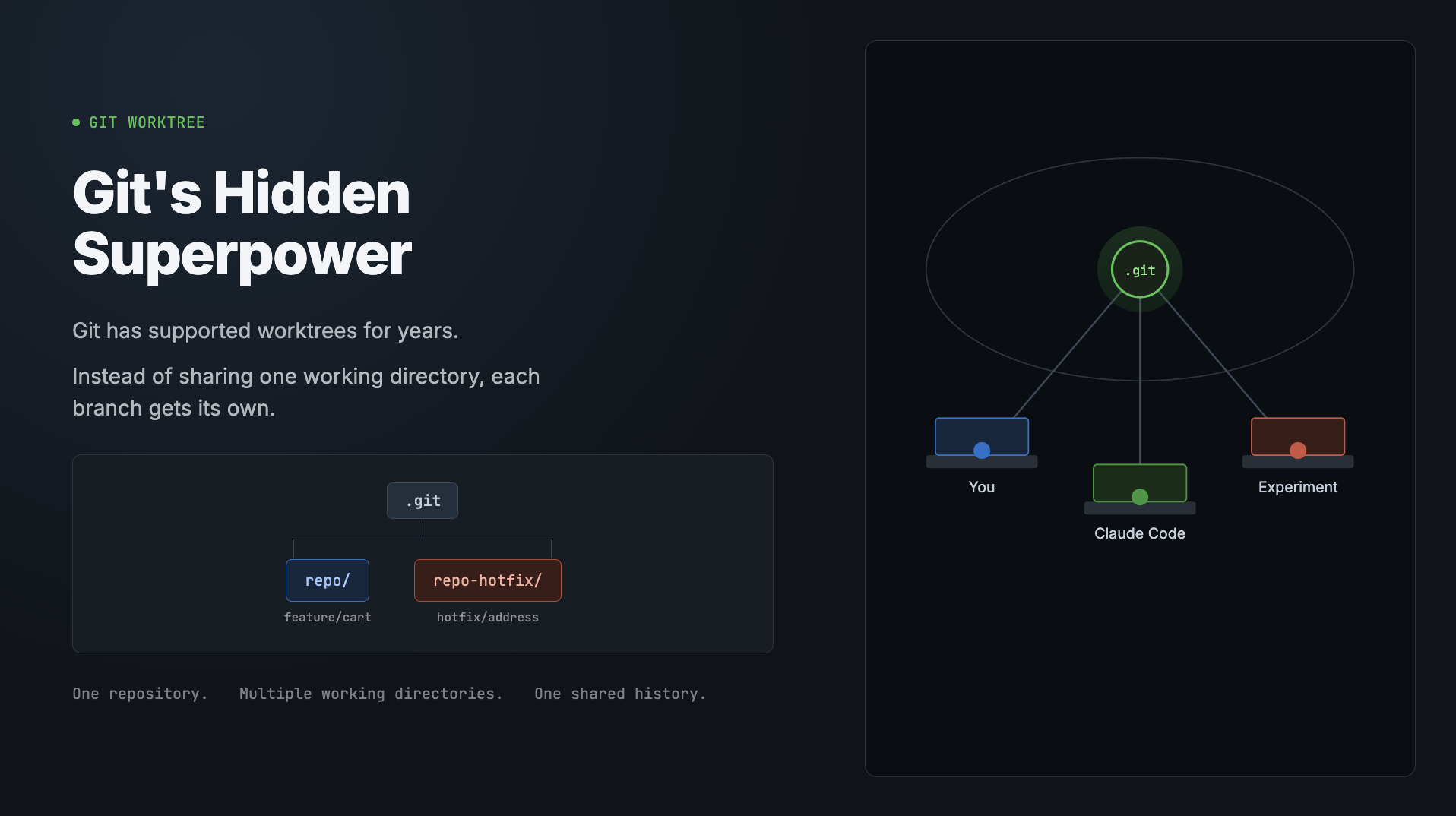
Git has supported worktrees for years.
Instead of sharing one working directory, each branch gets its own.
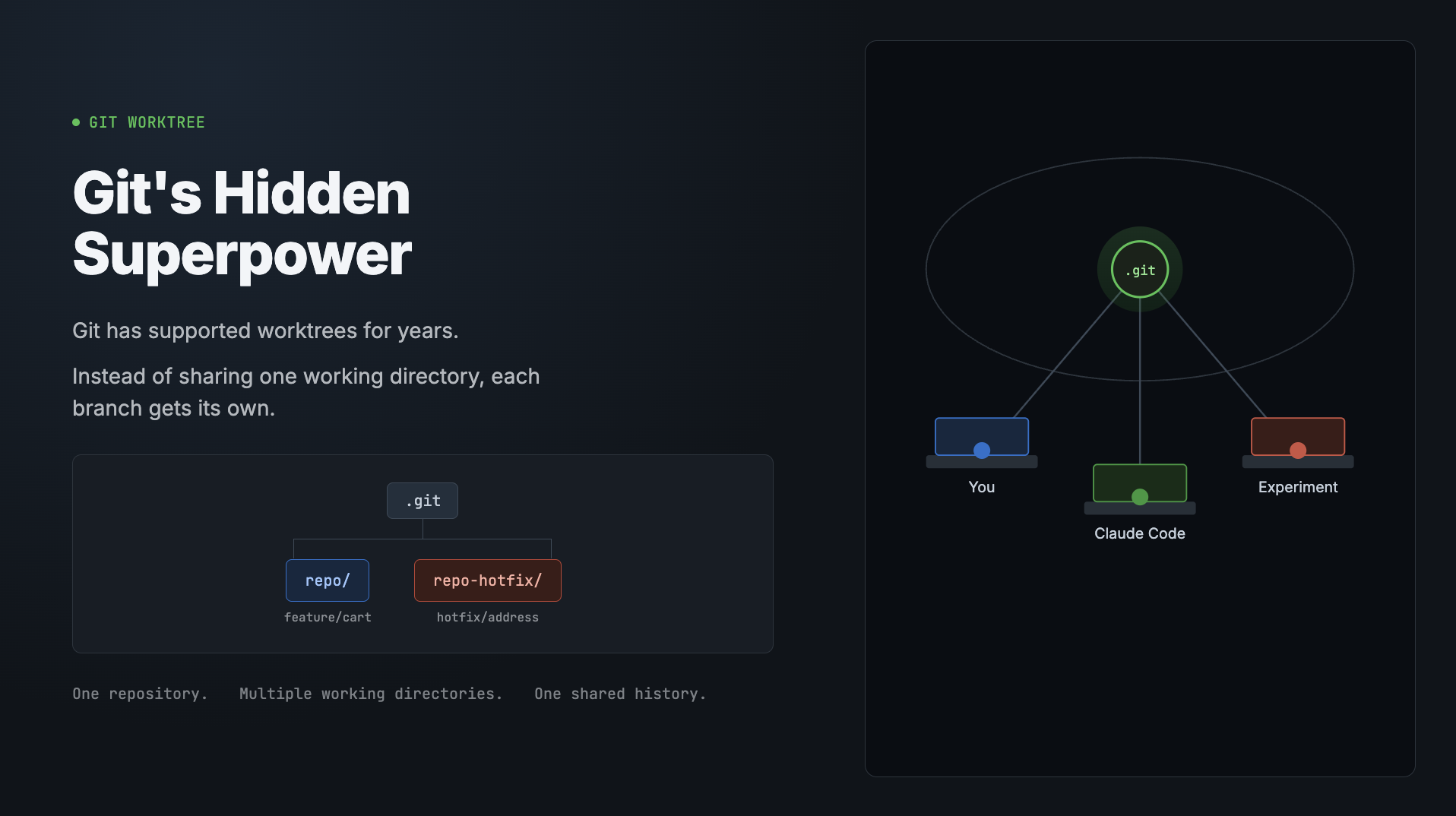
One repository.
Multiple working directories.
One shared history.
The Mental Model
Each worktree has its own:
Working directory
Checked-out branch
Staging area
Uncommitted changes
All worktrees share:
Commit history
Git objects
Tags
Remotes
Think of it like multiple browser windows connected to the same backend.
A Real Workflow
Create another workspace:
git worktree add ../shop-address feature/address-copyNow your directory looks like this:
shop/
shop-address/
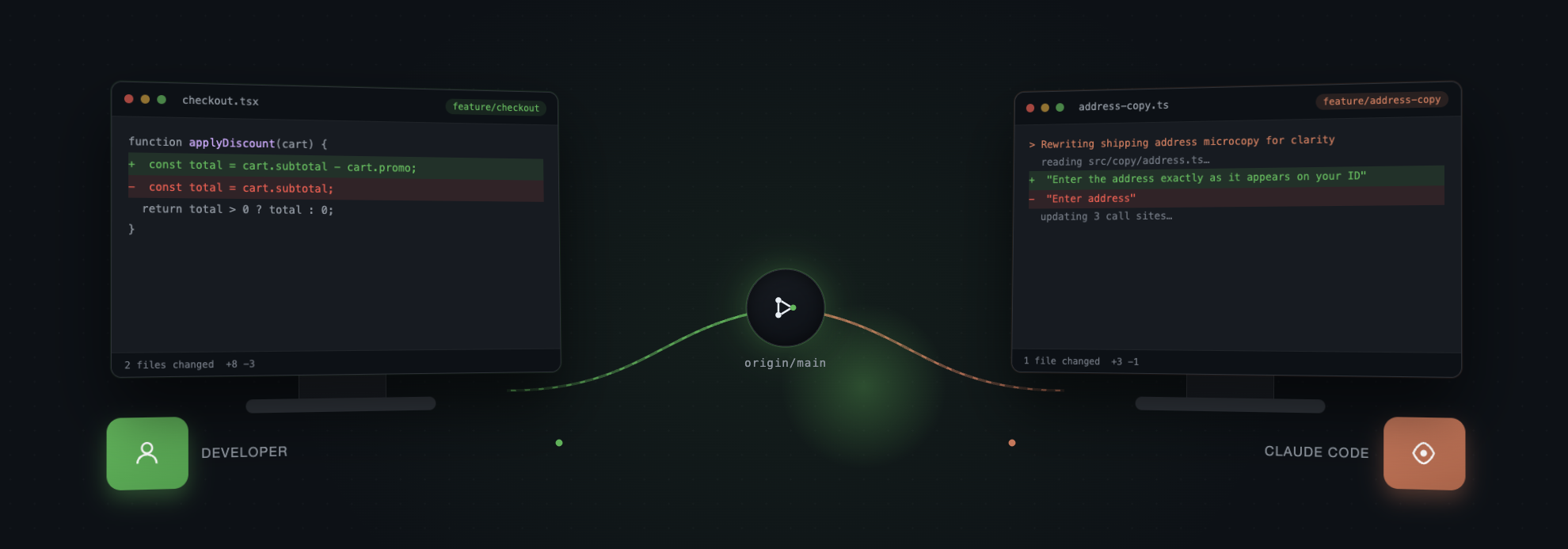
Inside your terminal:
git branch --show-current
# feature/checkout
Inside Claude Code's worktree:
git branch --show-current
# feature/address-copy
Neither workspace interferes with the other.
Why Claude Code Benefits
Without worktrees:
You
 │
repo/
 ▲
Claude Code
With worktrees:
             .git
            /    \
           /      \
        You   Claude Code
💡 Tip
> Claude Code supports isolated worktrees through
isolation: "worktree"for task execution.
Isolation becomes architecture instead of discipline.
Commands You'll Actually Use
Command | Purpose |
|---|---|
| Check out an existing branch into a new folder |
| Create a new branch in a new folder |
| List every active worktree |
| Remove a worktree |
| Clean stale metadata |
Three Gotchas
Warning
> Folder names can lie. Someone can run
git checkoutinside an existingworktree. Always verify with
git worktree list.Note
> Docker mounts paths, not branches. Mount the worktree if your container
needs to see those files.
Important
> Git won't let you delete a branch that's currently checked out by another
worktree. Remove the worktree first.
Final Thoughts
Git worktrees aren't replacing branches.
They're replacing context switching.
As AI coding agents become part of everyday development, giving every human—and every coding agent—its own isolated workspace is one of the simplest workflow upgrades you can make.
One
.git. As many desks as you need.