

Table of Contents29 sections
When a system is small, MySQL works very well.
But as a business grows, data volume increases, traffic rises, and scaling requirements become more demanding, MySQL eventually starts to hit its limits.
While exploring distributed database solutions, I had the opportunity to learn about TiDB. It is an interesting database system: MySQL-compatible, yet designed for horizontal scalability from the beginning.
In this blog, I share what I learned about TiDB to help the team better understand this solution and to evaluate whether it fits our future projects.
What Is TiDB?
TiDB is an open-source distributed SQL database, developed by PingCAP since 2015.
Its most important characteristics are:
Familiar SQL interface
Horizontal scalability
No manual sharding
Easy like MySQL — Powerful like NoSQL
TiDB Architecture Overview
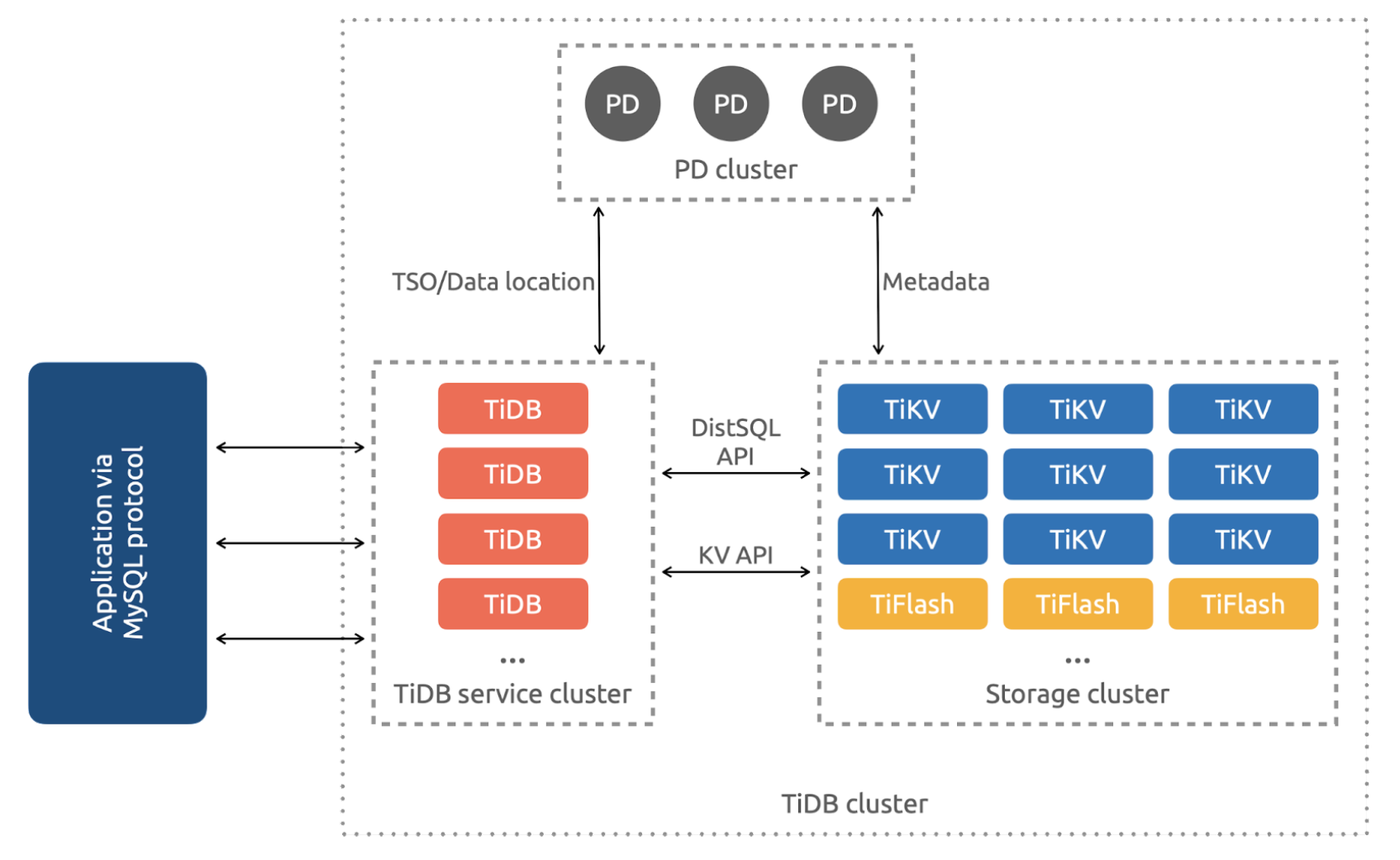
TiDB is built as a distributed system with four core components.
1. TiDB Server — SQL Layer
TiDB Server is responsible for SQL processing:
Receives queries from applications
Parses and optimizes SQL
Coordinates data reads and writes
TiDB Server does not store data.
It can be seen as the "MySQL layer" in a distributed system.
2. TiKV — Row-based Storage
TiKV is the primary storage layer:
Uses a key-value data model
Optimized for OLTP
Data is distributed across multiple nodes
Each table is split into regions and automatically balanced within the cluster.
3. TiFlash — Column-based Storage
TiFlash is a column-based storage engine:
Designed for OLAP
Used for analytics and reporting
Optimized for large data scans
TiFlash enables TiDB to handle transactions and analytics in the same system.
4. PD (Placement Driver) — The "Brain" of the Cluster
PD is responsible for:
Managing metadata
Deciding where data should be placed
Load balancing across nodes
Managing replicas
PD ensures that the entire cluster operates stably and efficiently.
How TiDB Works (Execution Flow)
A typical SQL query in TiDB follows this flow:
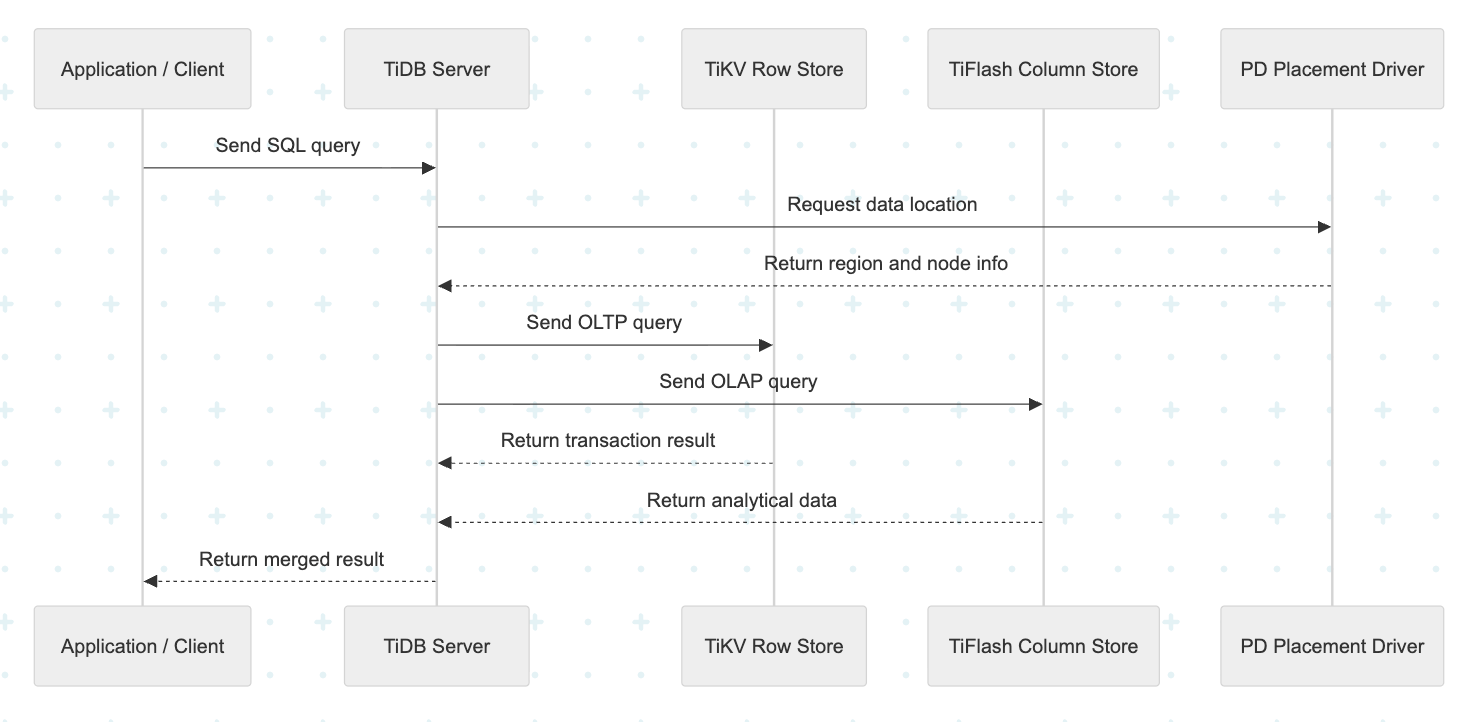
Or step by step:
The application sends an SQL query.
TiDB Server parses and optimizes the query.
PD determines where the data is located.
TiKV or TiFlash processes the read/write.
The result is returned to the application.
Who Is Using TiDB?

In 2022, Pinterest evaluated multiple large-scale database technologies and found TiDB to deliver the most stable performance.
Shopee
Uses MySQL and TiDB in parallel. The number of TiDB clusters continues to grow for workloads that require rapid scaling.
Ninja Van
Operates more than 130TB of data and serves millions of queries per minute with only two engineers managing the infrastructure.
Zhihu
With data growth of over 100 billion records per month, standalone MySQL could no longer keep up.
Key Advantages of TiDB
MySQL-compatible
Most existing SQL syntax and drivers work without modification.
True Scale-out
Add nodes without downtime or manual sharding.
HTAP
Supports both OLTP and OLAP in a single system via TiFlash.
Flexible Deployment
Runs on:
AWS
GCP
Azure
On-premises
Kubernetes
Open Source
No vendor lock-in and flexible cost optimization.
Trade-offs to Consider
More Complex to Operate than MySQL
Requires managing multiple components:
PD
TiKV
TiDB Server
TiFlash
Higher Latency than Local MySQL
Due to distributed reads and writes.
Not 100% MySQL Compatible
Some features are not supported such as:
Triggers
Stored Procedures
Events
MySQL Compatibility
TiDB is MySQL-compatible, but not 100% compatible.
Some syntax, functions, and behavior differ (v8.5).
Same | Different Syntax / Alternative | Not Supported |
|---|---|---|
- Basic DML/DDL: SELECT, INSERT, UPDATE, DELETE, CREATE TABLE, DROP TABLE, ALTER TABLE | - AUTO_INCREMENT | - Triggers- Stored Procedures / Functions (user-defined) |
Documentation:
https://docs.pingcap.com/tidb/stable/basic-features/
https://docs.pingcap.com/tidb/stable/mysql-compatibility/
Cost Comparison: MySQL RDS vs TiDB Cloud
Aspect | MySQL RDS | TiDB Cloud |
|---|---|---|
Pricing | Fixed instance pricing | Pay-as-you-go |
Storage | Pre-provisioned | Auto-scaling |
Idle Cost | Always billed | Can scale to zero |
Resource Waste | High | Minimal |
Try TiDB in a Local Environment
Step 1 — Install TiUP Playground
Open Terminal and run:
curl --proto'=https' --tlsv1.2 -sSf https://tiup-mirrors.pingcap.com/install.sh | sh`After installation:
source ~/.bash_profile
# or
source ~/.zshrc
Check the version:
tiup --versionStep 2 — Start a Local TiDB Cluster
Run:
tiup playground --db 1 --pd 1 --kv 1 --tiflash 1 --monitorAfter running the tiup playground command, TiUP provides several important URLs/endpoints:
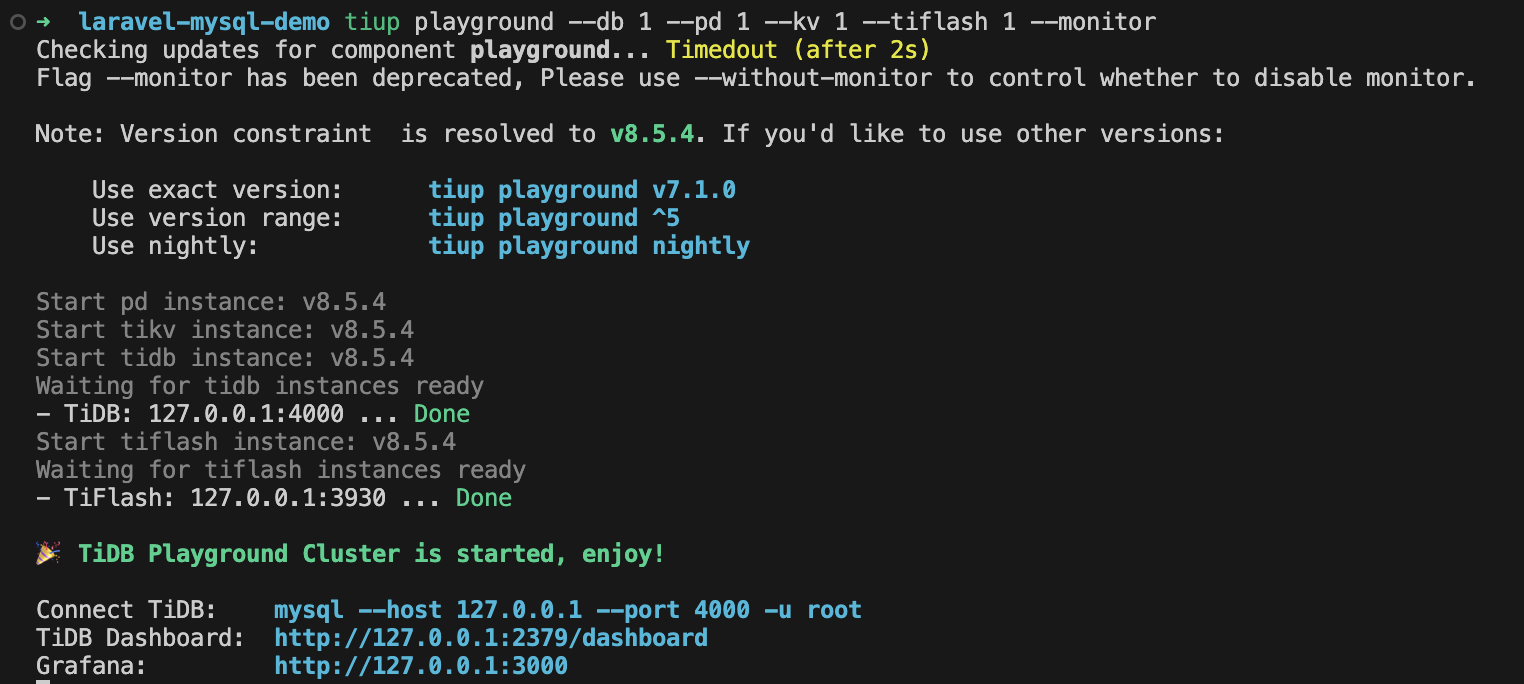
TiDB (MySQL Endpoint)
`bash mysql --host 127.0.0.1 --port 4000 -u root `This endpoint is compatible with MySQL and can be used by:
Laravel
DBeaver
TablePlus
MySQL Workbench
Other MySQL clients
Example .env configuration in Laravel project:
DB_CONNECTION=mysql
DB_HOST=127.0.0.1
DB_PORT=4000
DB_DATABASE=demo
DB_USERNAME=root
DB_PASSWORD=
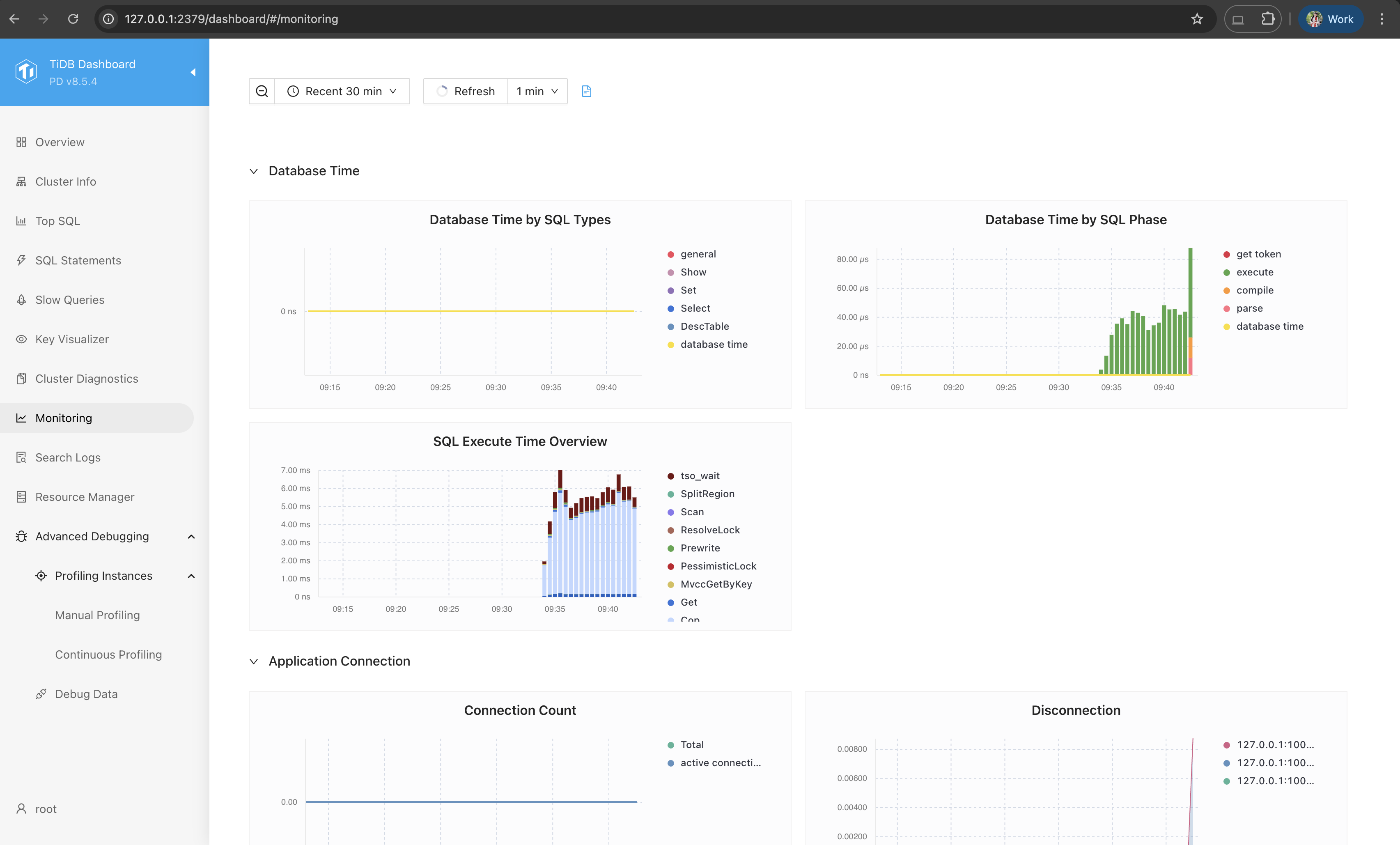
TiDB Dashboard
http://127.0.0.1:2379/dashboardExample:
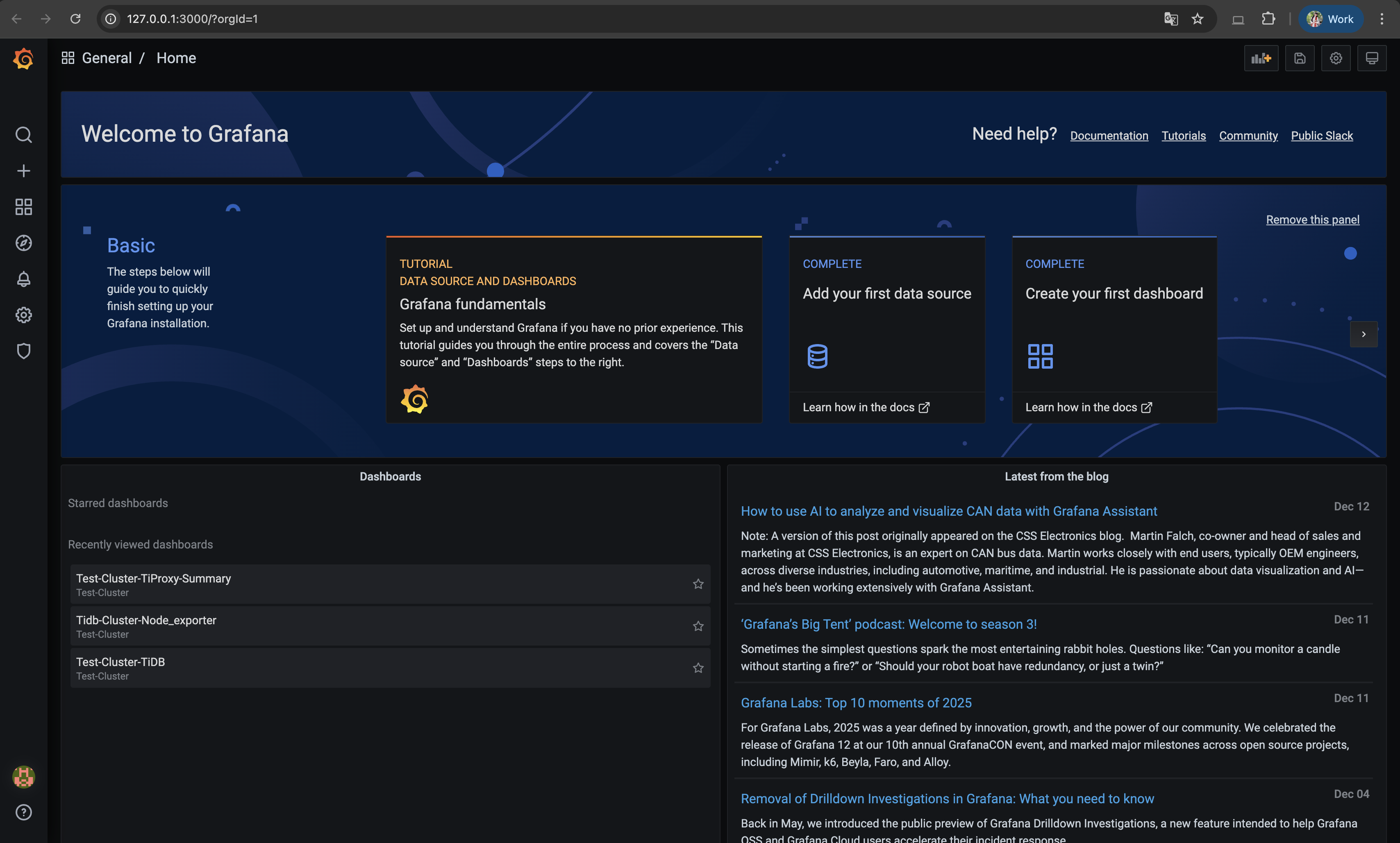
Grafana (Monitoring)
http://127.0.0.1:3000Monitoring dashboards (QPS, latency, CPU, memory, TiKV/TiFlash metrics)
Default login: admin / admin
Example:
Scale Up the Cluster
You can easily start a larger cluster.
`bash tiup playground --db 2 --pd 2 --kv 3 --tiflash 3 --monitor `Note: This setup is for the local environment. You can use TiDB Cloud for the production environment.
When Should You Consider TiDB?
TiDB is a good choice when your system has:
Large and fast-growing datasets
Unpredictable or spiky traffic
Real scale-out requirements
Avoiding manual sharding
Need for real-time OLTP + OLAP
Conclusion
TiDB does not replace MySQL in every scenario.
However, when MySQL starts to reach its limits, TiDB becomes a strong alternative.
With horizontal scalability, a clear architecture, and a familiar SQL experience, TiDB provides a practical and long-term solution for growing systems.