

Table of Contents11 sections
How Much "CPU" Are You Really Renting?
When you launch an EC2 instance, you see a spec like "4 vCPUs, 16 GiB RAM." Few people stop to ask what a vCPU actually is. Is it a physical CPU core? And why do two instances that both list "4 vCPUs" sometimes perform very differently?
This article explains what a vCPU really is in AWS EC2, the simultaneous multithreading (SMT) mechanism behind it, how AWS lets you customize the number of CPU cores and threads, and the key rules you need to know when optimizing infrastructure costs.
What Is a vCPU?
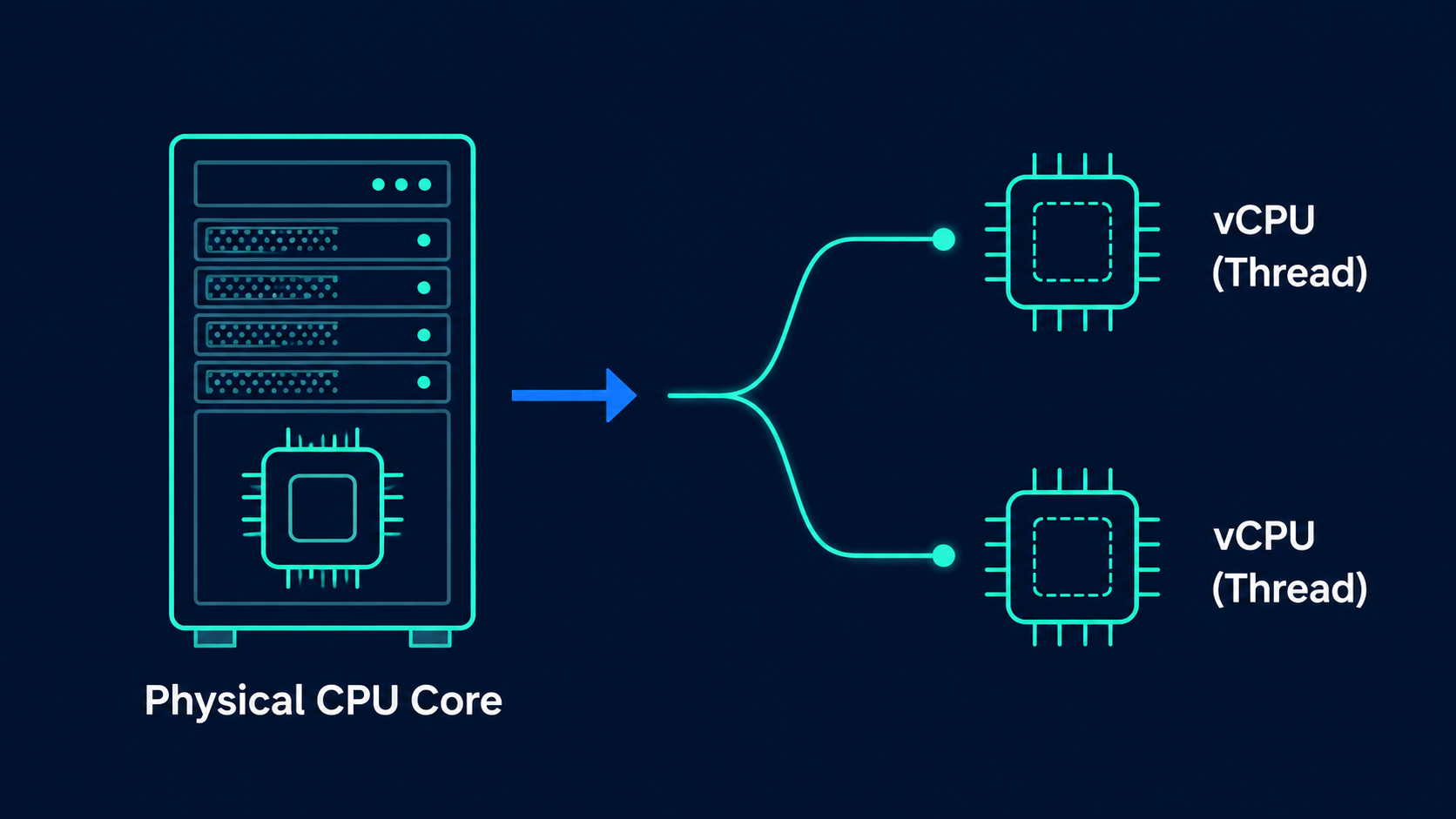
A vCPU (virtual CPU) is the compute unit AWS sells to customers, representing a single execution thread running on a physical CPU core. It is not a separate core on its own, but rather a "processing lane" that shares the same physical core through simultaneous multithreading.
According to official AWS documentation, many EC2 instance types support simultaneous multithreading (SMT), a technology that lets multiple threads run concurrently on a single CPU core. Each thread is represented as a vCPU on the instance. An instance has a default number of CPU cores that varies by instance type. For example, an m5.xlarge instance type has two CPU cores and two threads per core by default, giving it four vCPUs in total.
The basic formula is simple:
Total vCPUs = Number of CPU cores x Threads per coreExample: m5.xlarge has 2 cores x 2 threads/core = 4 vCPUs.
How Does Simultaneous Multithreading (SMT) Work?
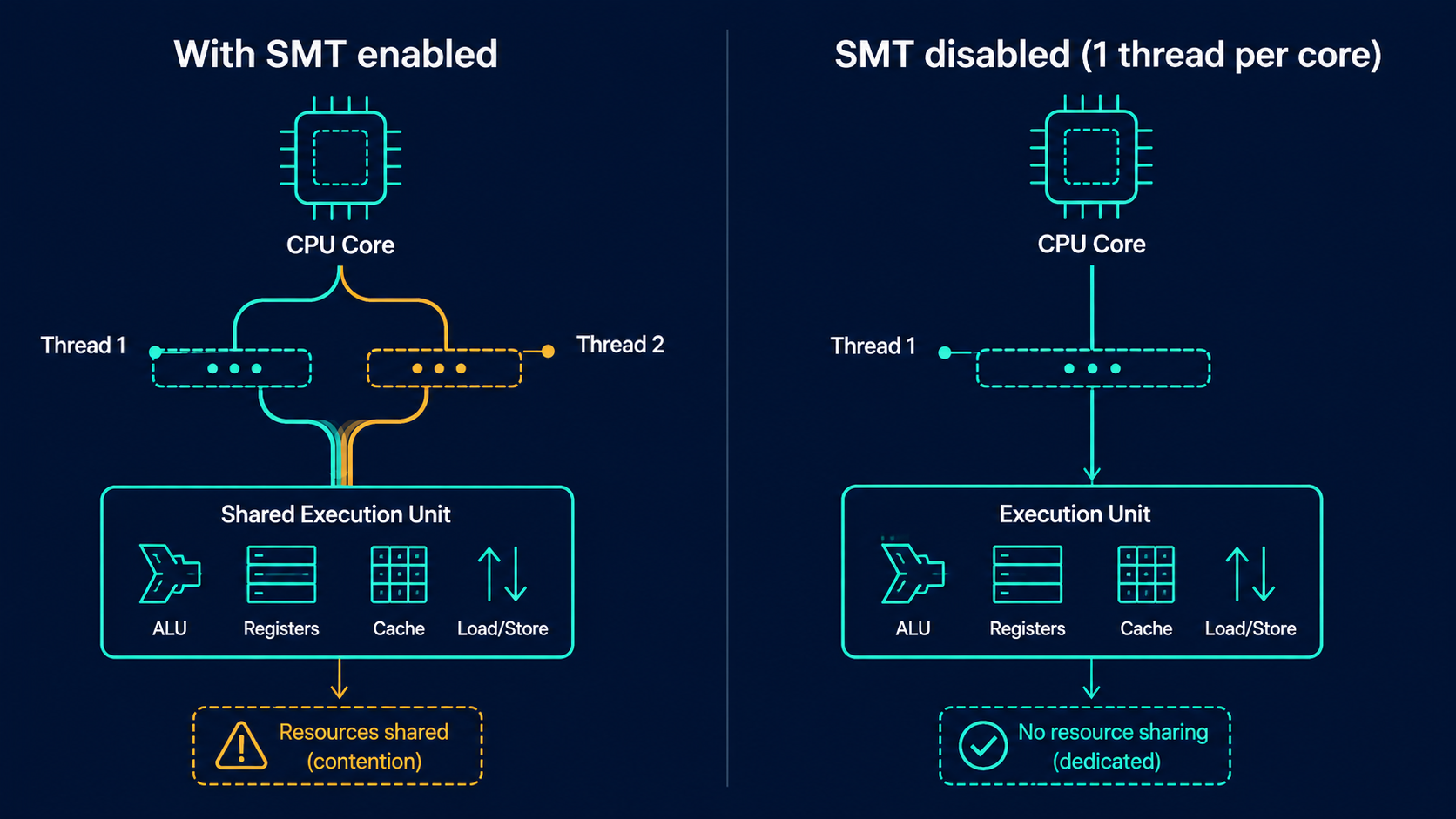
SMT, also known as hyper-threading (Intel's term for it), is a technique that lets a single physical CPU core process two instruction streams in parallel by sharing internal execution resources such as the ALU, cache, and instruction decoder.
Here is the key thing to understand: two vCPUs on the same core are not twice as powerful as one vCPU alone. They share the same physical compute resources. If both threads need the same execution unit at the same time, for example a floating point unit, one of them has to wait. That is why the real-world performance gain from SMT is typically around 15 to 30 percent compared to running without it, not a full doubling.
This is why certain workloads, especially High Performance Computing (HPC), often disable SMT so that each vCPU maps to a full physical core. This gives more stable and predictable performance.
You Can Customize CPU Options
AWS lets you actively configure two settings on many instance types:
Number of CPU cores: reduce the core count to optimize software licensing costs that are billed per core or per vCPU, while keeping enough RAM for memory-intensive workloads.
Threads per core: disable SMT by setting a single thread per core, commonly used for HPC.
Some important rules to keep in mind when configuring CPU options:
You cannot configure CPU options for bare metal instances.
You can specify CPU options both at launch time and after the instance is already running.
You must specify both settings together: the number of CPU cores and the threads per core.
The total number of vCPUs always equals the number of CPU cores multiplied by threads per core, and it cannot exceed the default vCPU count for that instance type.
CPU option configuration persists after you stop, start, or reboot the instance.
You cannot change the threads per core setting for the T2, C7a, M7a, R7a instance families, Apple silicon Mac instances, or instances based on the AWS Graviton processor.
Changing CPU options does not change how AWS counts vCPUs for service quota purposes on your account.
Here is an illustration with a few common instance types from the General Purpose family:
Instance type | Default vCPUs | Default CPU cores | Default threads/core | Valid CPU cores |
|---|---|---|---|---|
| 4 | 2 | 2 | 2 |
| 8 | 4 | 2 | 2, 4 |
| 16 | 8 | 2 | 2, 4, 6, 8 |
| 36 | 18 | 2 | 2, 4, 6, 8, 10, 12, 14, 16, 18 |
| 4 | 4 | 1 | 1, 2, 3, 4 |
Notice that Graviton instances (the g family, ARM architecture) default to 1 thread per core, meaning each vCPU maps directly to one physical core, with no SMT involved. Meanwhile x86 families like m5 and c5 default to 2 threads per core.
Why Are the Valid CPU Core Ranges Not Continuous?
Looking at the table above, you will notice the "valid CPU cores" list is not a continuous sequence (1, 2, 3, 4...) but often skips numbers (2, 4, 6, 8...). The reason is that AWS typically restricts configuration to even values for architectures with 2 threads per core, to ensure hardware resources such as cache and lookup tables are balanced across thread pairs. This helps avoid a situation where one core ends up "overloaded" compared to the others on the same physical CPU.
Case Study: Optimizing Windows and SQL Server Licensing Costs
This is one of the clearest real-world applications of customizing CPU options: the Optimize CPUs feature for license-included instances.
The Problem
Workloads such as Microsoft SQL Server often need a lot of memory and IOPS but relatively few vCPUs, while software licensing fees are typically billed per active vCPU. If you pick an instance type with the right amount of RAM but its default vCPU count is higher than you need, you end up paying more in licensing fees than necessary.
The Solution
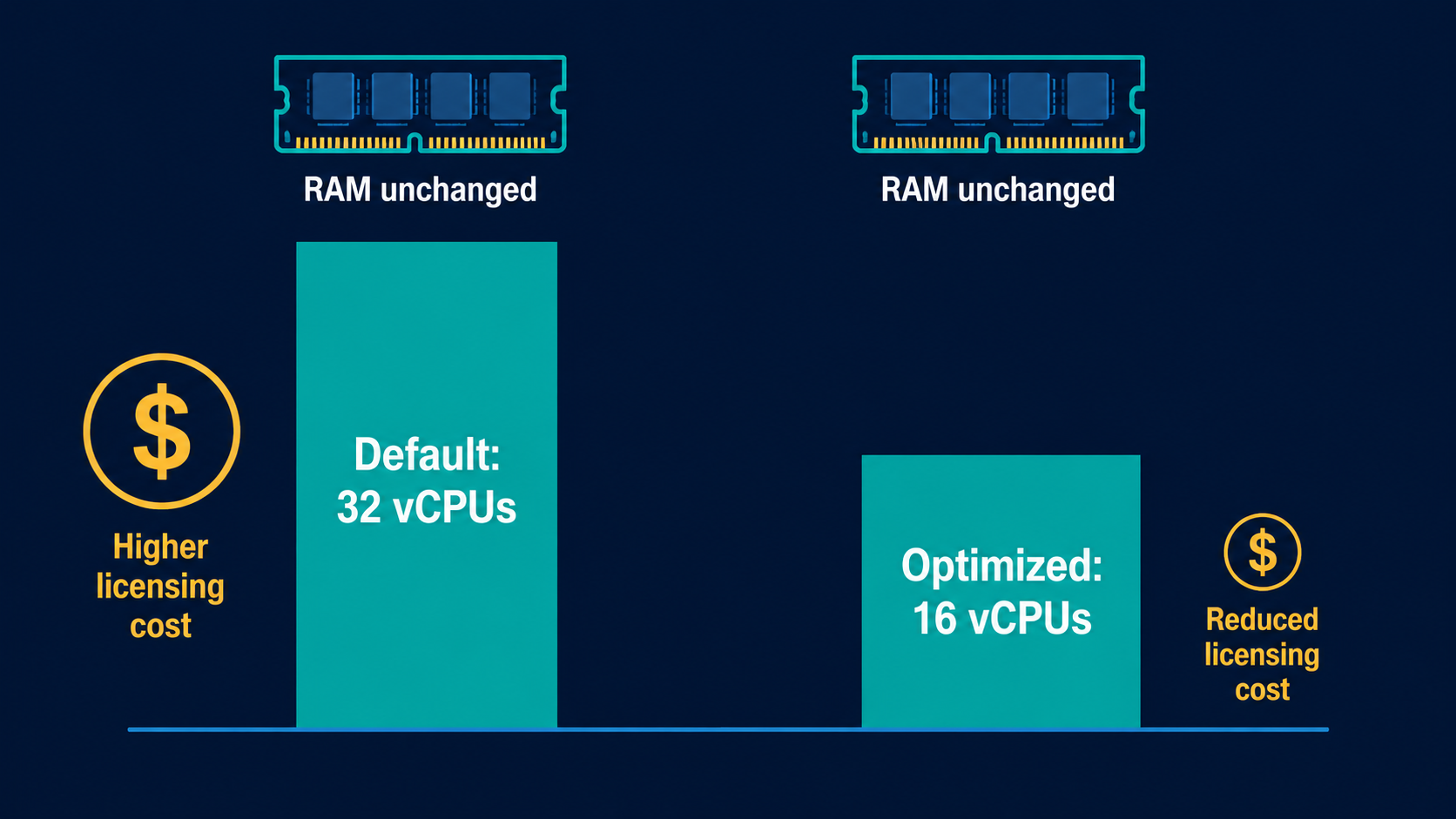
AWS lets you reduce the number of active vCPUs on an instance while keeping the same RAM, storage, and network specifications. Consider a concrete example:
An
r7i.8xlargeinstance with a default of 32 vCPUs, running a license-included Windows and SQL Server Enterprise AMI for 100 hours (equivalent to 3200 vCPU hours).If you reduce the active vCPU count to 16 (while keeping the same RAM and storage as an
r7i.8xlarge), the licensing fee calculated per vCPU is cut in half, while the workload still has enough memory to run properly.
The bill will show two separate line items: the base EC2 infrastructure cost, and the licensing fee based on the number of active vCPUs, labeled "Amazon EC2 Optimize CPU License Included Third Party Fees." You can also combine this with Savings Plans to reduce infrastructure costs further. Note that if you are using Reserved Instances, discounts may not apply at the same time as Optimize CPUs for the same instance type within the same payer account.
Conditions to Keep in Mind
To take advantage of licensing cost savings on Windows and SQL Server license-included instances, you must configure a minimum of four vCPUs. If you configure fewer than four vCPUs, default billing applies instead of optimized billing.
Optimize CPUs for License-Included is not supported on the T3 instance family.
There is no additional charge for specifying CPU options. For non license-included instances, you are billed the same as an instance launched with default CPU options.
vCPUs and Resource Sharing Across AWS
There is an important distinction to understand when talking about "sharing" vCPUs within the AWS ecosystem:
Within a single instance: vCPUs (threads) share the execution resources of the same physical CPU core through SMT, as explained above.
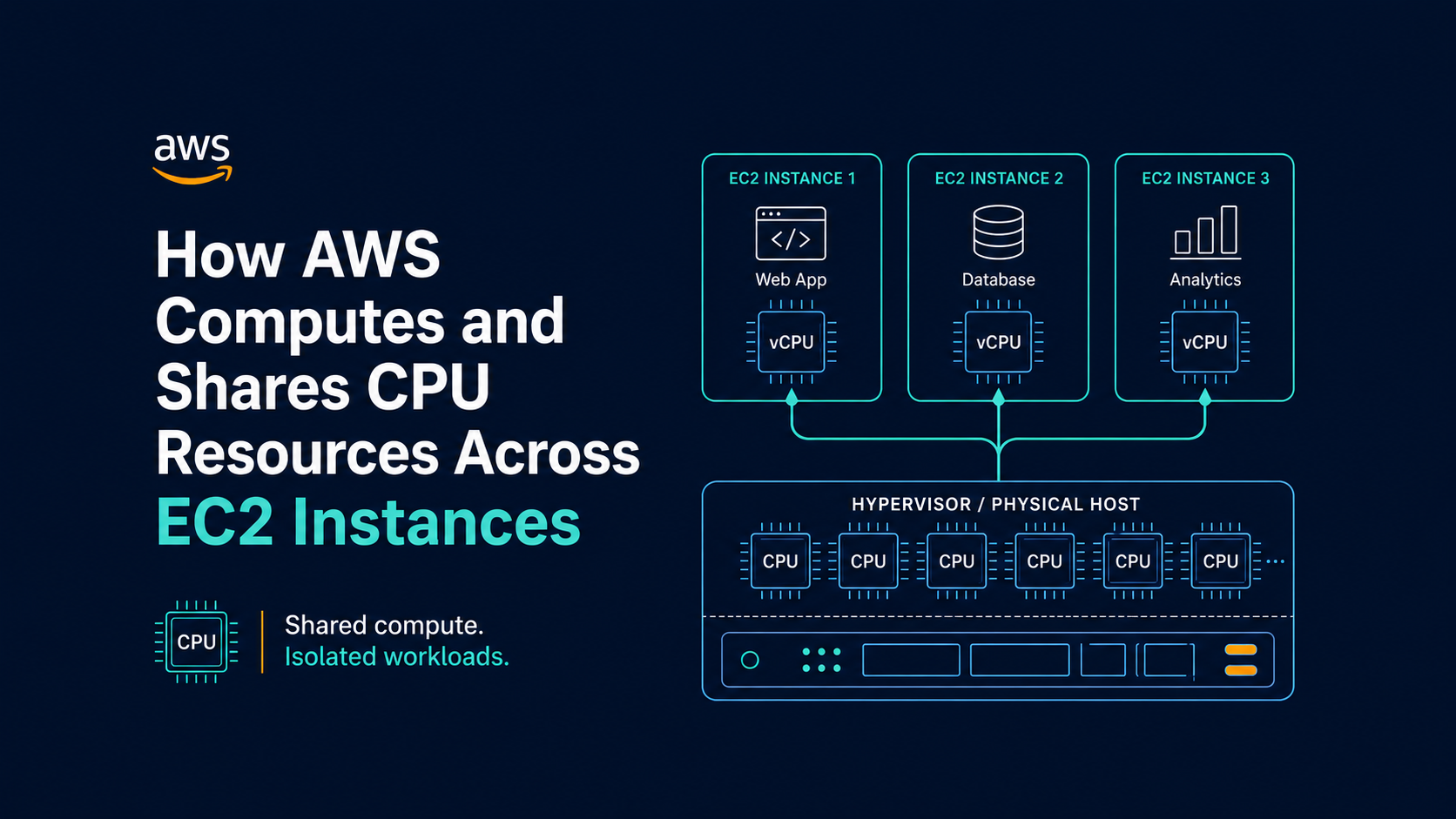
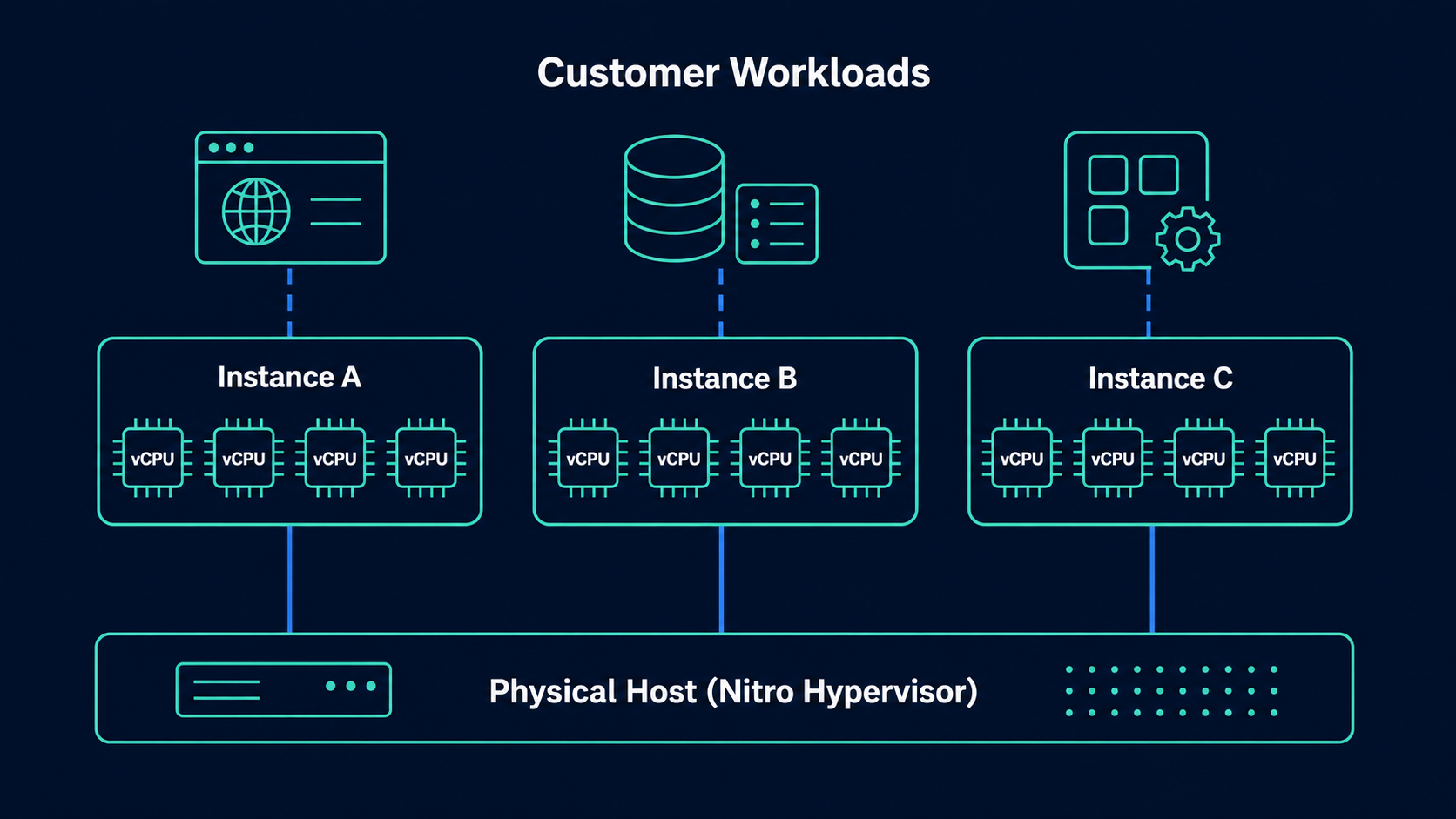
Across instances on the same physical host: AWS uses virtualization (the Nitro Hypervisor) to allocate logical vCPUs to each customer instance based on the physical CPU capacity of the host machine. For burstable instance families (T3, T4g), CPU is further managed through a CPU credit mechanism, which lets an instance "borrow" processing performance for short bursts and pay it back over time. This suits workloads that are mostly idle but occasionally need a spike in performance.
Limits on how many instances you can run: AWS calculates service quotas based on the default vCPU count of the instance type, not the vCPU count after you have customized it. In other words, even if you cut your active vCPU count in half, the quota is still calculated as if you were using the instance type's full default vCPU allocation.
When to Customize CPU Options, and When to Keep Defaults
Customize when:
You run software billed per core or per vCPU (SQL Server, some enterprise software) and need more RAM than vCPUs.
Your workload is HPC and needs stable, predictable compute performance, and you want to eliminate the effects of resource sharing between SMT threads.
You are trying to balance infrastructure costs against software licensing costs.
Keep defaults when:
You are running general-purpose applications that are not constrained by per-vCPU licensing fees.
Your workload is already optimized to take advantage of SMT (most web applications, microservices, and typical databases).
You are using an instance type that does not support customization (T2, C7a, M7a, R7a, Graviton, bare metal).
Conclusion
A vCPU is not simply "one virtual CPU core." It is an execution thread created through the SMT mechanism on a physical CPU core, and the way AWS lets you adjust the number of cores and threads opens up real opportunities to optimize both performance and cost, especially in scenarios involving per-vCPU software licensing. Understanding this mechanism helps you make more accurate decisions when choosing an instance type, configuring CPU options, and managing your infrastructure budget on AWS.
References: