
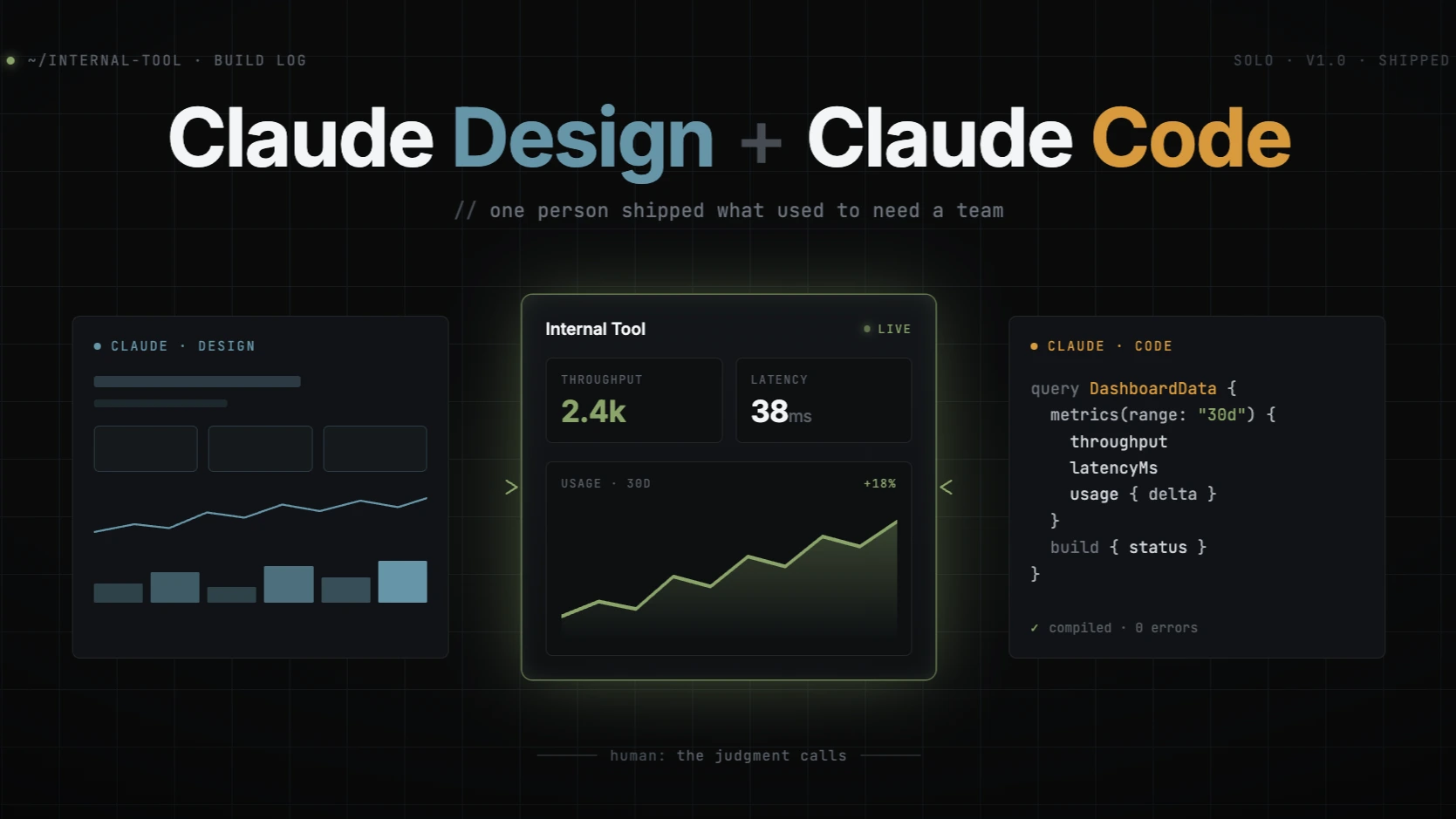
From PM Request to Internal Dashboard: Building with Claude Code and Claude Design

Table of Contents5 sections
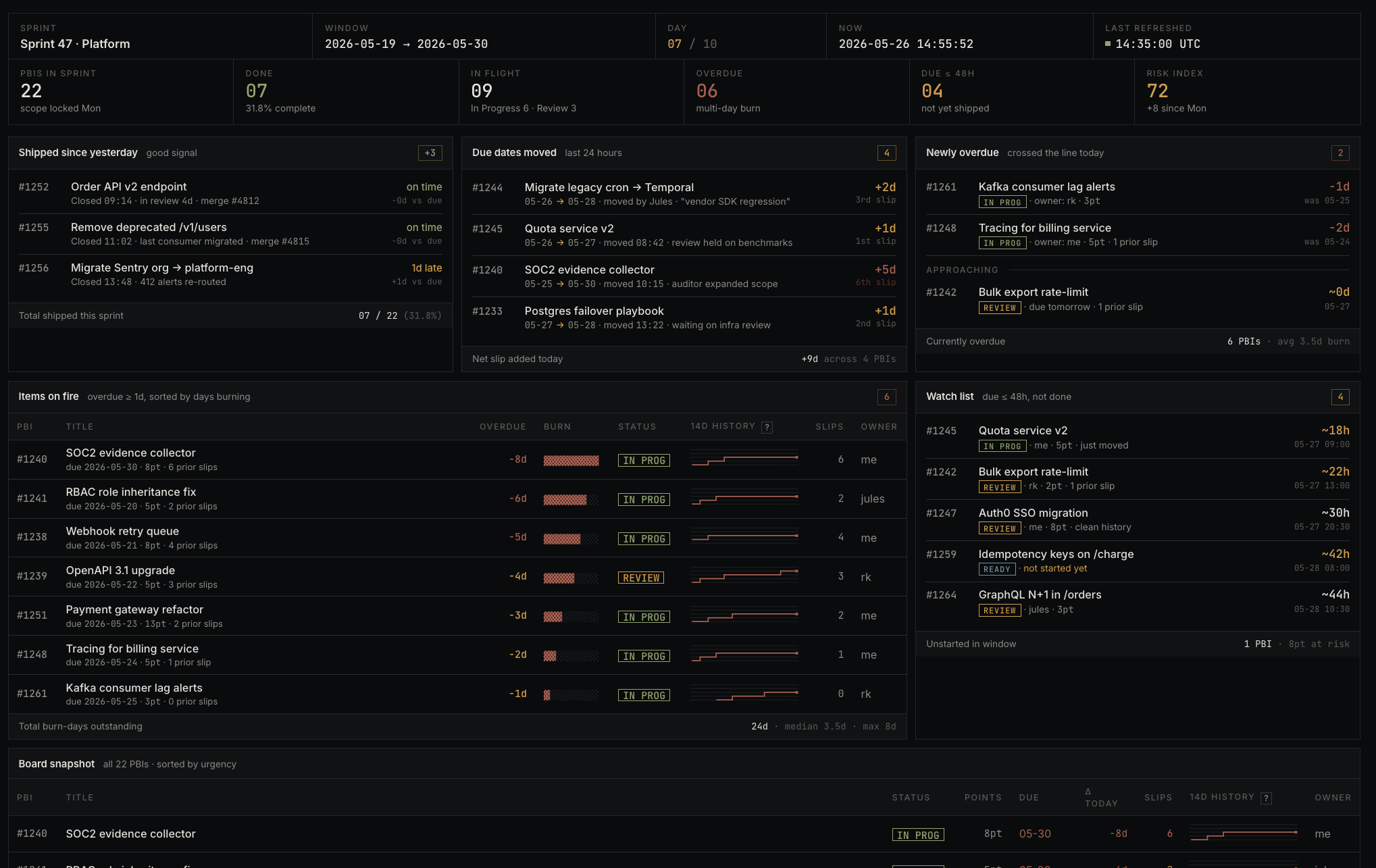
My PM asked for one thing: every evening, drop a Slack message listing the overdue items in our GitHub Projects v2 sprint board.
A year ago, the nice version of that (a backend that pulls and diffs the board, a designed dashboard to look at it, automated delivery) would've been a small team: someone on the data layer, a designer, someone on the frontend.
I built the whole thing myself, after work, with Claude Code doing the engineering and Claude Design doing the UI.
That's the real story here. Not "AI wrote some code," but how far one person can now carry a complete internal tool, and, just as honestly, exactly where the tools stop and you still have to think. This is both halves.
The toolchain
Three tools, three jobs:
Claude Code wrote the data layer: GitHub GraphQL fetcher, snapshot/diff engine, the report builder, a FastAPI server. The logic.
Claude Design produced the dashboard: a dark, dense, PM-facing UI exported as a self-contained HTML/CSS/JS "handoff bundle."
Me: taste calls, credentials, and the integration glue. Mostly the glue.
The constraints I set up front shaped everything:
Local only. macOS, no AWS, no GitHub Actions. It runs on my machine.
uv run+ PEP 723. Dependencies declared inline at the top of each script, no venv, norequirements.txt. A genuinely lovely way to ship small tools.
AI does the fuzzy part, Python does the math. The model writes the prose summary and categorizes; Python computes the diff and counts the overdue days. Never let an LLM do arithmetic.
Part 1: Claude Code builds the backend
The board is the real-world kind of messy: 2,600+ items across every past sprint, bilingual titles, bracket tags ([QC], 【Infra】), custom numbered statuses (6 - Developing👨💻). The first job was just getting the current sprint cleanly.
The win that saved a day: my instinct was to page through all 2,600 items and filter client-side, 27 requests. Turns out the Projects v2 GraphQL items connection accepts a query: argument with the same syntax as the board's search bar:
items(first: 100, query: "sprint:\"Sprint 42\" -status:\"99 - Pending\"") { … }Server-side filtering. 61 items in one request instead of 2,600 in twenty-seven. This is barely documented. If you're paginating a whole Projects v2 board to filter it: stop, use query:.
From there the pipeline is boring in a good way:
Each run writes snapshots/YYYY-MM-DD.json and diffs against the previous one.
(A weekend gap, no Saturday snapshot, almost broke this; the fix was to fall back to the most recent snapshot, not literally "yesterday.")
Claude Code wrote almost all of this from short prose prompts:
fetch the current sprint, snapshot it, diff against yesterday, group overdue items by tag.
I never wrote the GraphQL by hand or looked up the FastAPI boilerplate. My job was catching the judgment calls: keep the LLM out of the counting, decide what "overdue" means in working days, decide which diff categories actually matter to a PM. The typing was the AI's; the decisions were mine.
Part 2: Claude Design builds the frontend
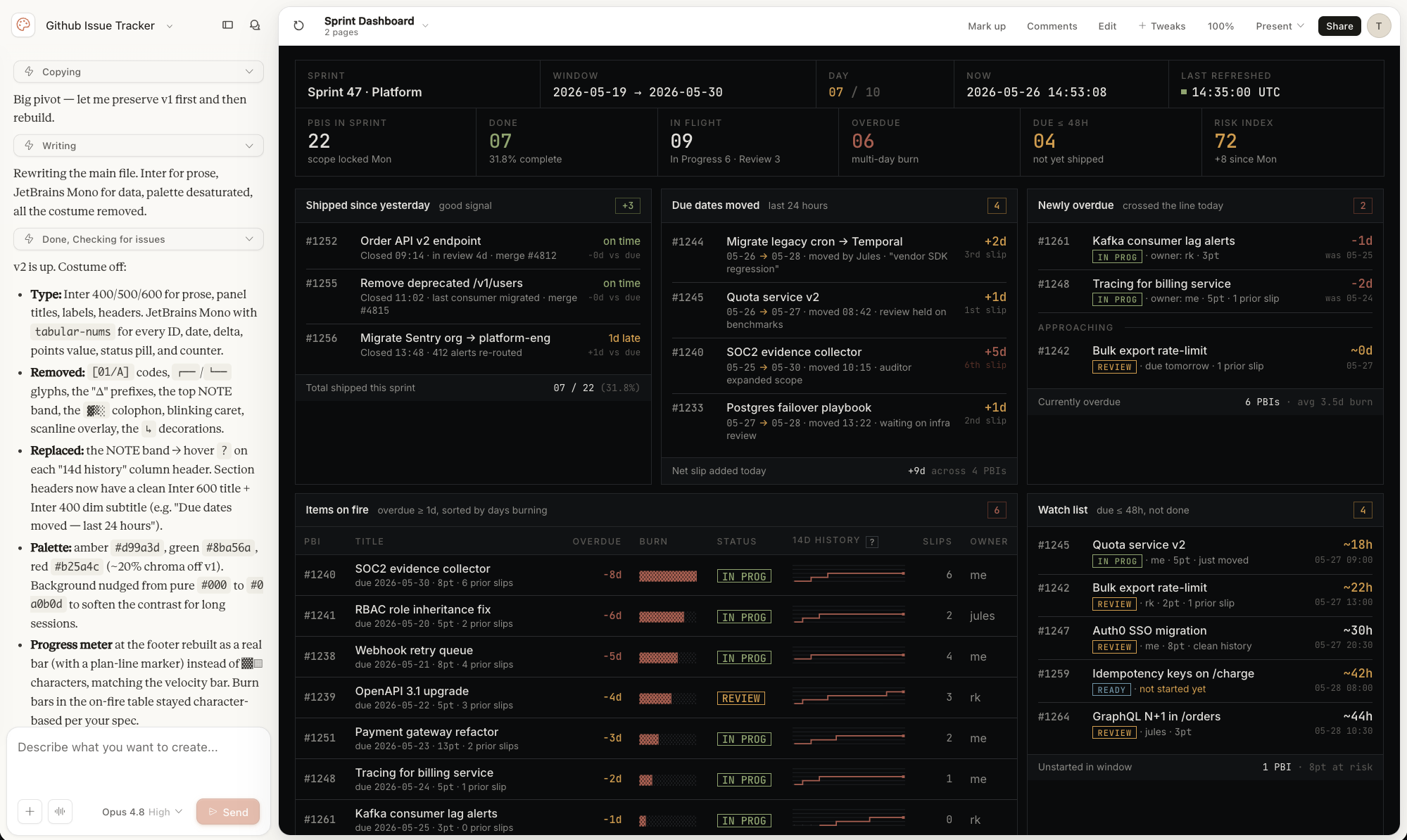
This is the part most people haven't seen, so here's how it actually works.
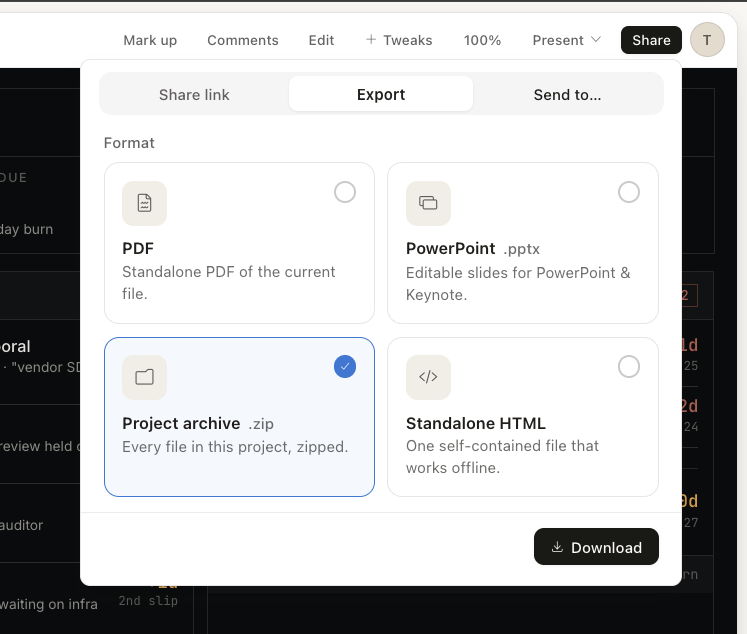
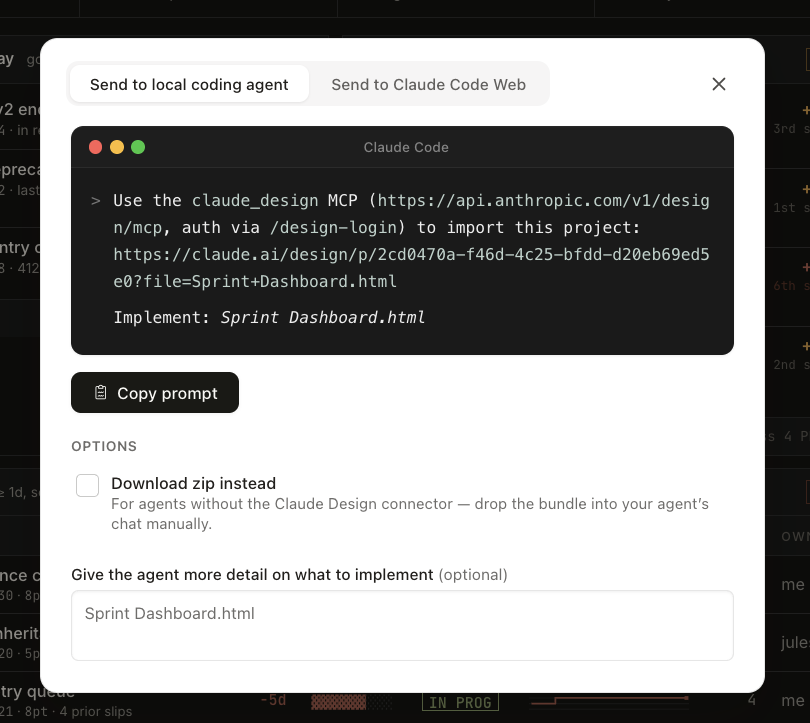
In Claude Design you mock up a UI, then export a handoff bundle: a zip with the HTML/CSS/JS prototype and a README addressed to the coding agent that will implement it. Mine literally said:
Read
Sprint Dashboard.htmlin full. The user had this open when they triggered the handoff, so it's the primary design. Recreate it pixel-perfectly in whatever tech fits the codebase. Match the visual output; don't copy the prototype's internal structure unless it happens to fit.
So the workflow is:
Claude Design produces the visual truth, Claude Code implements it against real data.
I handed the bundle to Claude Code and said
preserve this exactly, swap the fake data for the snapshot API.
What I got: a dark, dense telemetry dashboard with a sprint selector, burn bars, 14-day status sparklines drawn as inline SVG, a risk gauge, the works.
I didn't spec any of that; I described the kind of dashboard I wanted in Claude Design and it produced the layout, the type scale, the colour system.
Then Claude Code took the bundle and replaced the fake hardcoded data with live data from the FastAPI /api/data endpoint: auto-fetch on load, a report modal, the lot. Two tools, one handoff file between them, and I never opened a CSS file.
The seam that needed a human: design tools emit static beauty; apps need state. The handoff had a gorgeous board table with invented rows. Wiring it to real, messy data (items with no due date, no assignee, no points; bilingual titles that needed splitting) was the actual work. The design got me a pixel-perfect shell in minutes. Filling it correctly was the same data-massaging it always is.
Claude Code + Claude Design got me to ~80% genuinely fast. The last 20% was the same integration reality it always is: auth quirks, a platform's formatting rules, messy real data,... AI compresses the building. It doesn't delete the plumbing.
Lessons, transferable
Mentions and :emoji: don't render inside code blocks. Literal unicode emoji do.
GitHub Projects v2 GraphQL has an undocumented-ish query: arg. Use it.
Design-tool output is a shell, not an app. The value is the pixel-perfect starting point; wiring real, ugly data into it is still your job.
Keep the LLM out of arithmetic. Python diffs and counts; the model phrases.
uv run` + inline PEP 723 deps is a delightful way to ship single-file tools.
Split config by sensitivity from commit one. Real logins and Slack IDs kept leaking into git until I moved them to a gitignored override file.
The actual takeaway
The thing worth internalizing isn't "AI writes code." It's the shape of the work that's left. This used to be three roles. Now it's one person who can hold the intent, make the judgment calls, and let the tools do the producing:
Claude Design collapses "I need a designer" into a handoff bundle.
Claude Code collapses "I need to write the backend and wire the frontend" into a conversation.
What's left for the human is the part that was always the actual job: deciding what the thing should do, what "correct" means, and pushing through the messy 20% (the auth quirks, the platform's formatting rules, the permissions wall) that no tool will hand you for free.
And that last point is the honest one. AI got me ~80% of the way fast. The final 20% was the same integration reality it always is.
A year ago this is a ticket I'd file and wait on. Now the evening report posts itself, I built every layer of it solo, and the only thing it really cost me was the week I spent learning one sentence about how Slack renders text. Worth it.