
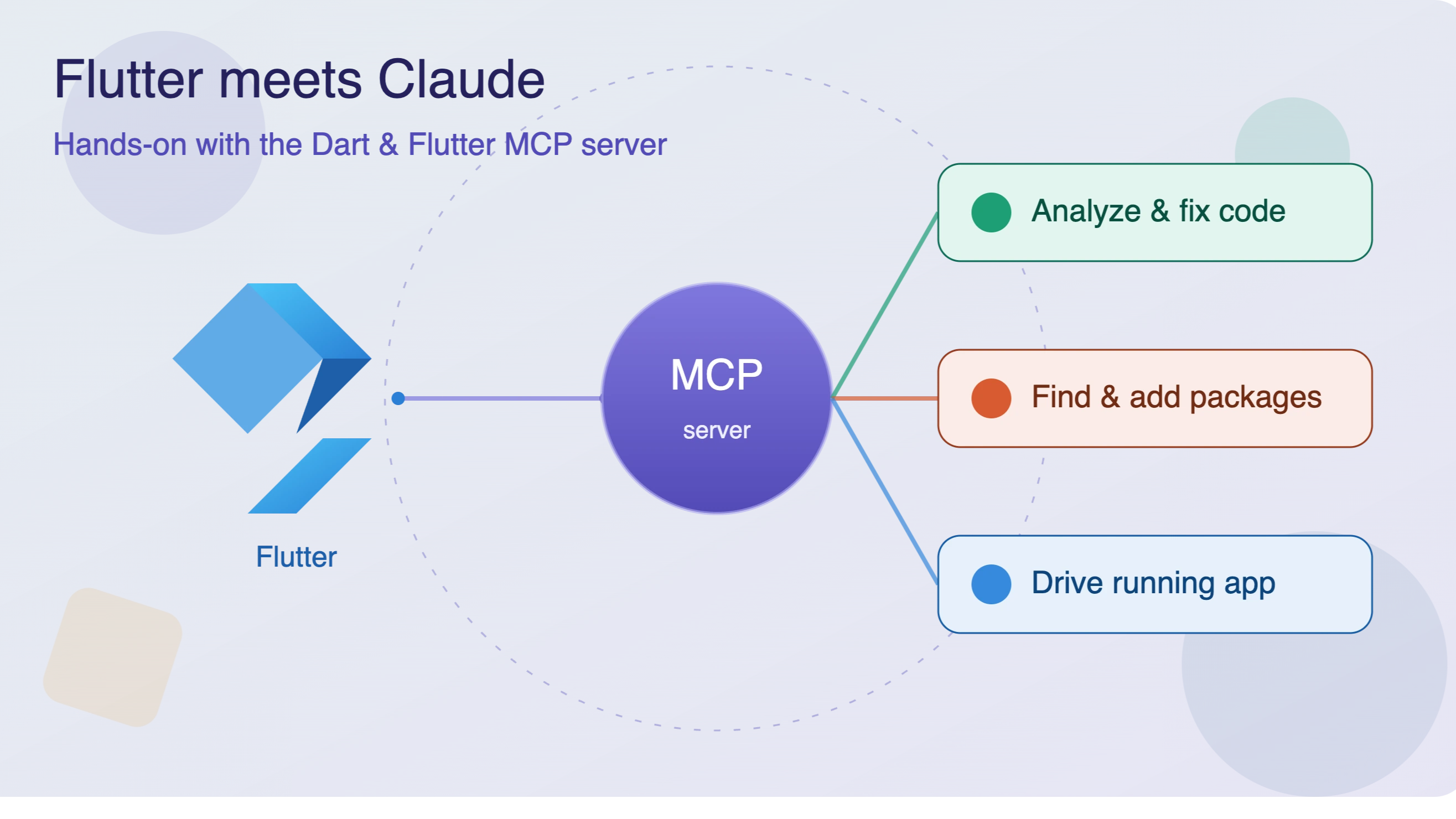

Table of Contents6 sections
In this post I'll walk through wiring the server into Claude Code and then running three concrete workflows against a habit-tracking demo app I built for exactly this purpose — Habit Hero. The examples are the kind of everyday tasks you'd normally do by hand: hunting down a layout overflow, adding a charting package, and driving a running app to create data.
Context: The Dart & Flutter MCP server is still experimental and evolving quickly. It requires Dart 3.9 or later. If your team pins an older SDK, weigh that before adopting it into a shared workflow.
What the server exposes
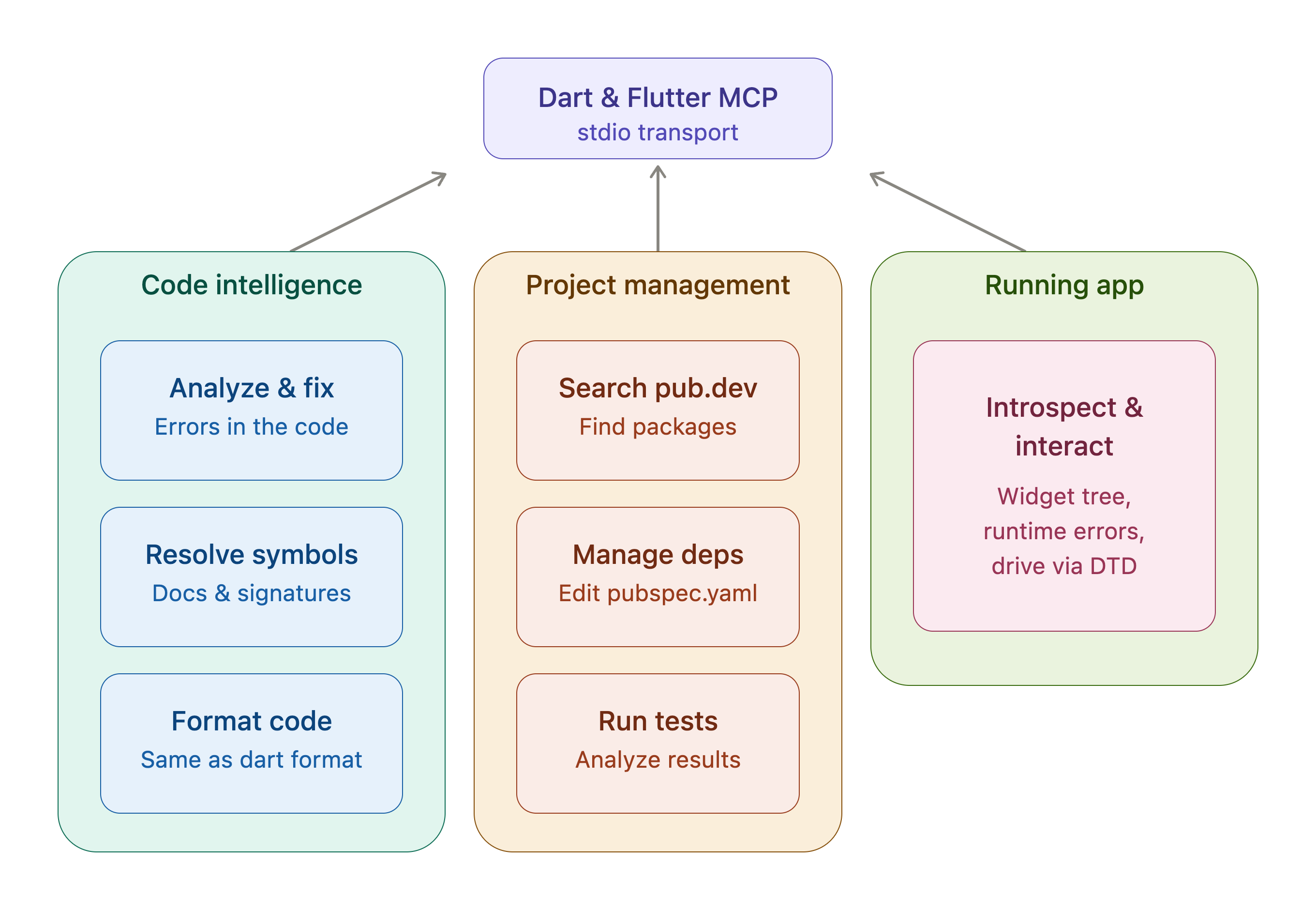
Before touching setup, it helps to know the surface area you can delegate to — this is what decides how much you can hand off:
Analyze and fix errors in the codebase.
Resolve symbols to elements to confirm they exist and pull docs + signatures.
Introspect and interact with a running application.
Search pub.dev for the right package for a use case.
Manage dependencies in
pubspec.yaml.Run tests and analyze the results.
Format code with the same formatter and config as
dart format.
Transport is stdio. A client needs Tools and Resources support for full functionality, and ideally Roots for the best experience. Claude Code satisfies all three, so no workarounds are needed below.
Setup with Claude Code
Registering the server for the current project is a single command:
claude mcp add --transport stdio dart -- dart mcp-server
A few operational notes:
--transport stdiois required — it's the only transport the server supports.dartis the server's identifier; keep it consistent if you script team onboarding.Everything after
--is the launch command. Ifdartisn't on thePATHof the environment Claude runs in, swap it for an absolute path to avoid painful debugging later.
Verify it's live:
claude mcp list
…or type /mcp inside a session. For teammates on other clients (Cursor, Gemini CLI), the config collapses to the same JSON block:
{
  "mcpServers": {
    "dart": {
      "command": "dart",
      "args": ["mcp-server"]
    }
  }
}
One easy trap: if a client claims to support roots but doesn't actually set them, add --force-roots-fallback to enable the root-management tools. Claude Code doesn't need it; Codex CLI does.

The demo app: Habit Hero
Habit Hero is intentionally small but cohesive, so each scenario feels like a real feature rather than a disconnected snippet. The structure:
A single in-memory
HabitRepositoryas the source of truth, seeded with a handful of habits ("Drink water", "Read 20 min", "Workout", "Meditate"), each carrying a target count and seven days of completion timestamps.A Home tab rendering each habit as a stat card, plus a FAB to add new habits.
A Stats tab that already computes
weeklyCompletions(seven values, one per day) but only shows a placeholder where a chart should go.An Add Habit route pushed from the Home FAB.
Each scenario below maps to one deliberately "unfinished" or "broken" part of this app.
Scenario 1: Fix a runtime overflow from the actual running app
Habit Hero ships with one habit card whose inner Row packs long, unconstrained Text widgets — the title, a streak string, and today's progress. At runtime it throws the familiar yellow-and-black RenderFlex overflow. The other cards are laid out correctly, so the broken one is an obvious odd-one-out.
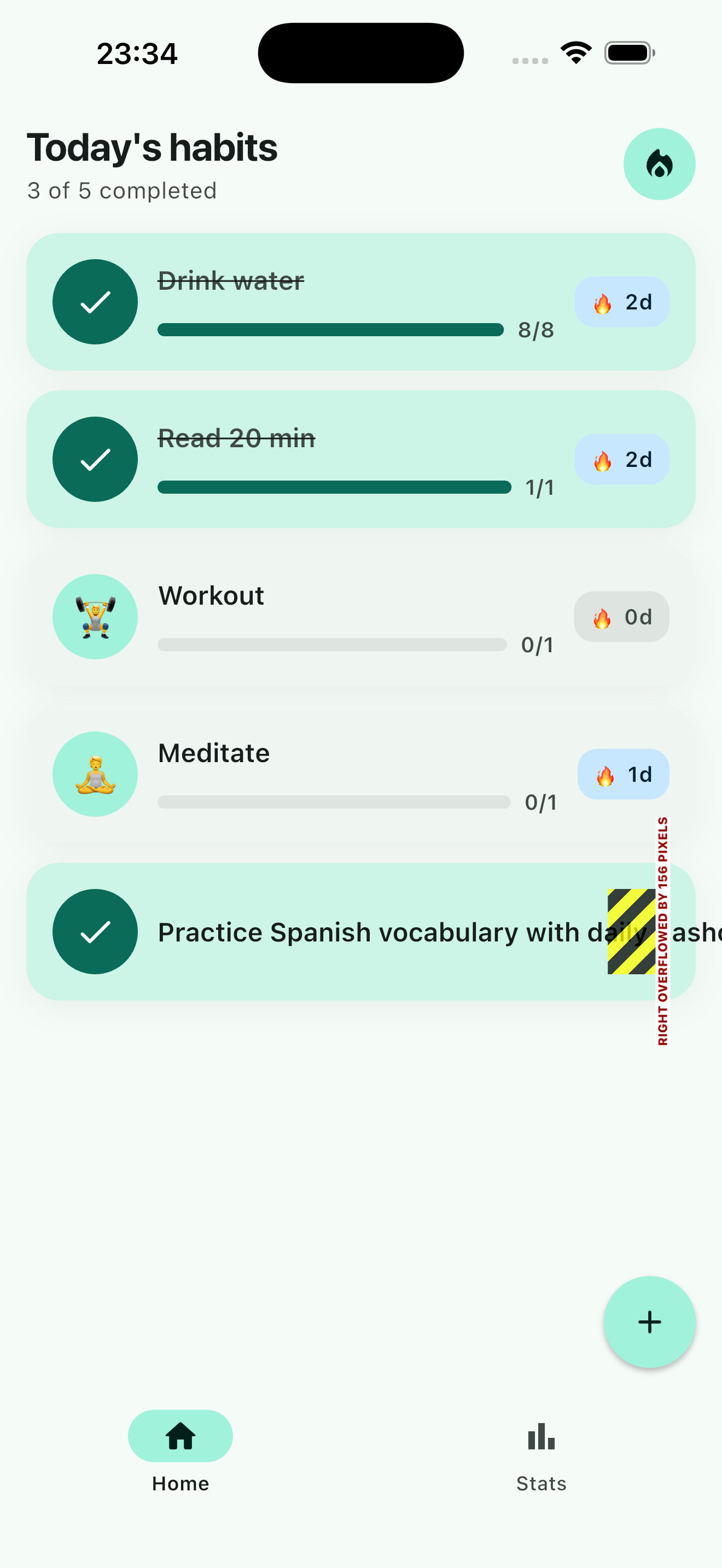
The point isn't that Claude can write a layout fix — it's that it reads the live runtime error instead of guessing from static code. With the app running, I prompt:
Check for and fix any static and runtime layout issues.
Behind the scenes the agent:
Pulls the current runtime errors from the running app.
Introspects the widget tree to locate the exact widget that's overflowing.
Applies a fix and re-checks for anything remaining.
The (MCP) tag confirms this tool call comes from the Dart & Flutter MCP server, not Claude's built-in reasoning — proof that the integration is wired up and Claude is analyzing the real project rather than guessing.
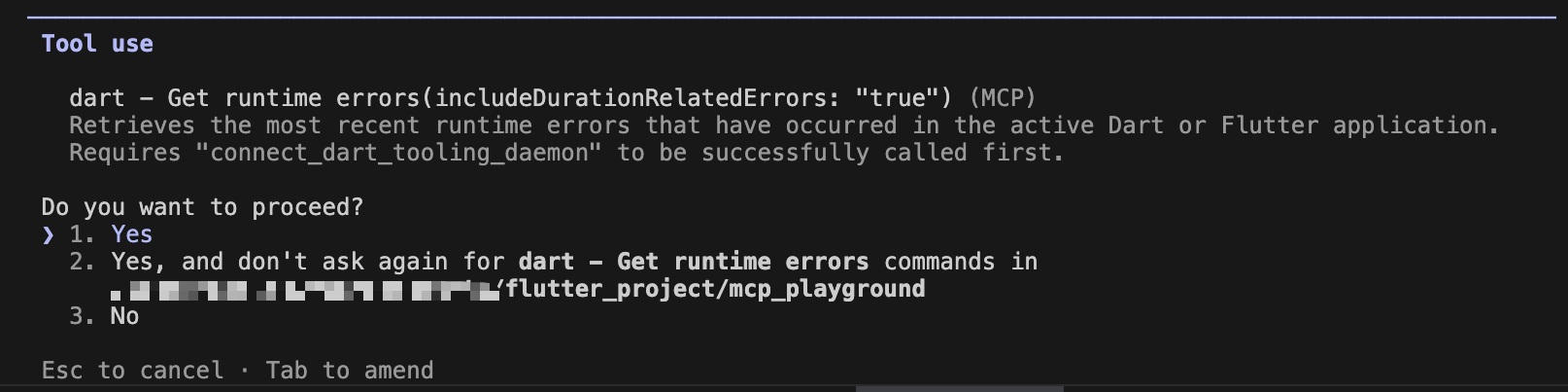
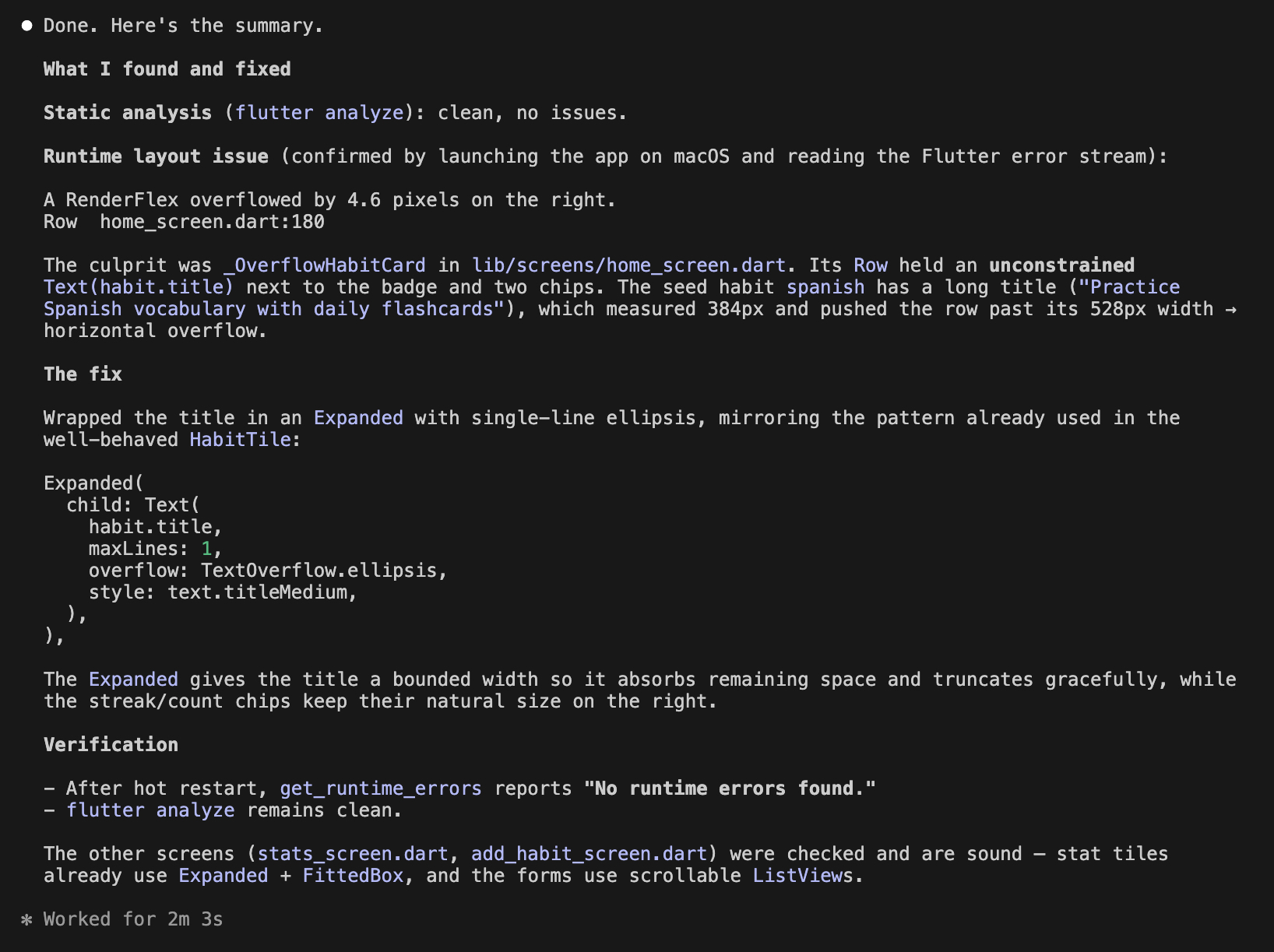
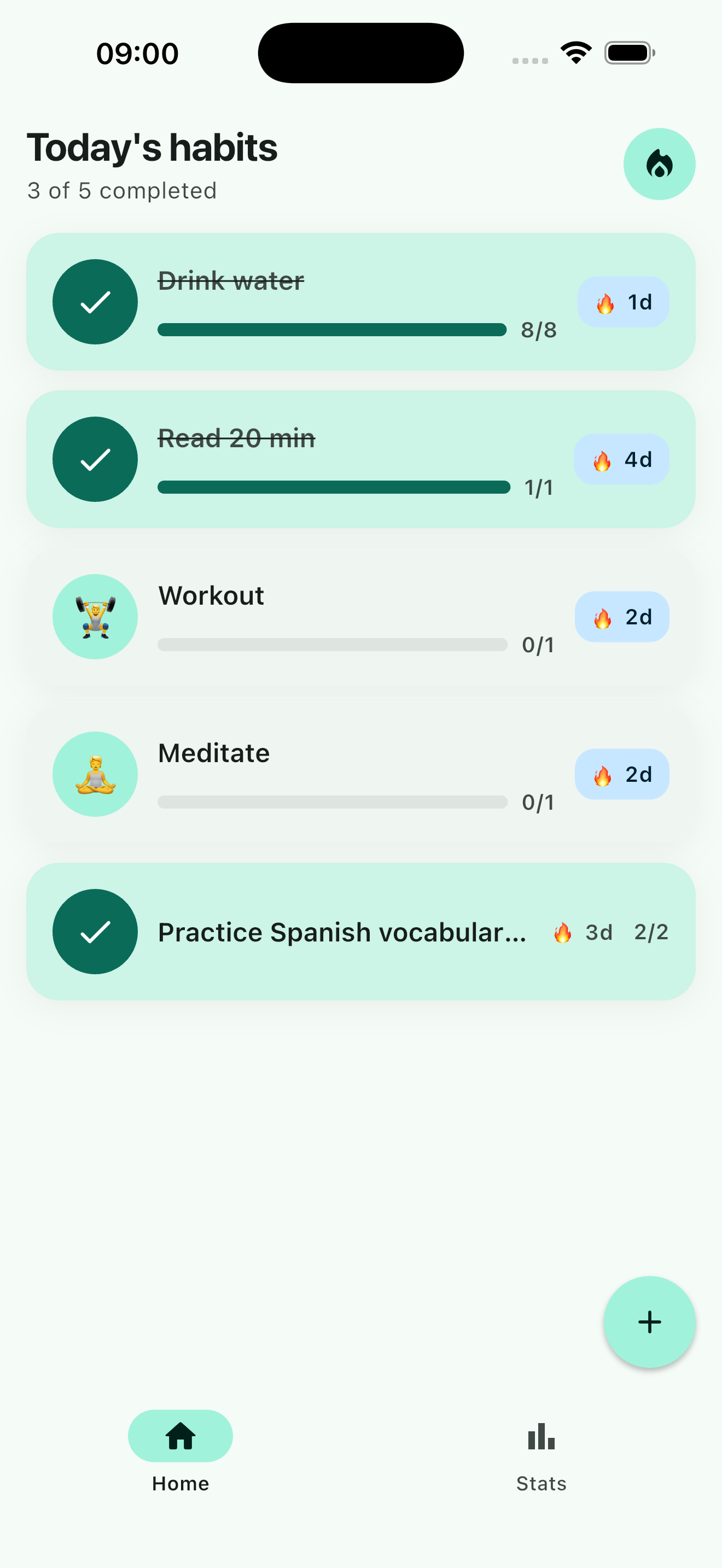
Because the fix originates from a specific runtime error rather than a generic heuristic, the first-pass success rate is noticeably higher than pasting a screenshot into a chat. The screenshot below shows the result after applying the fix.
Scenario 2: Add a chart via package search
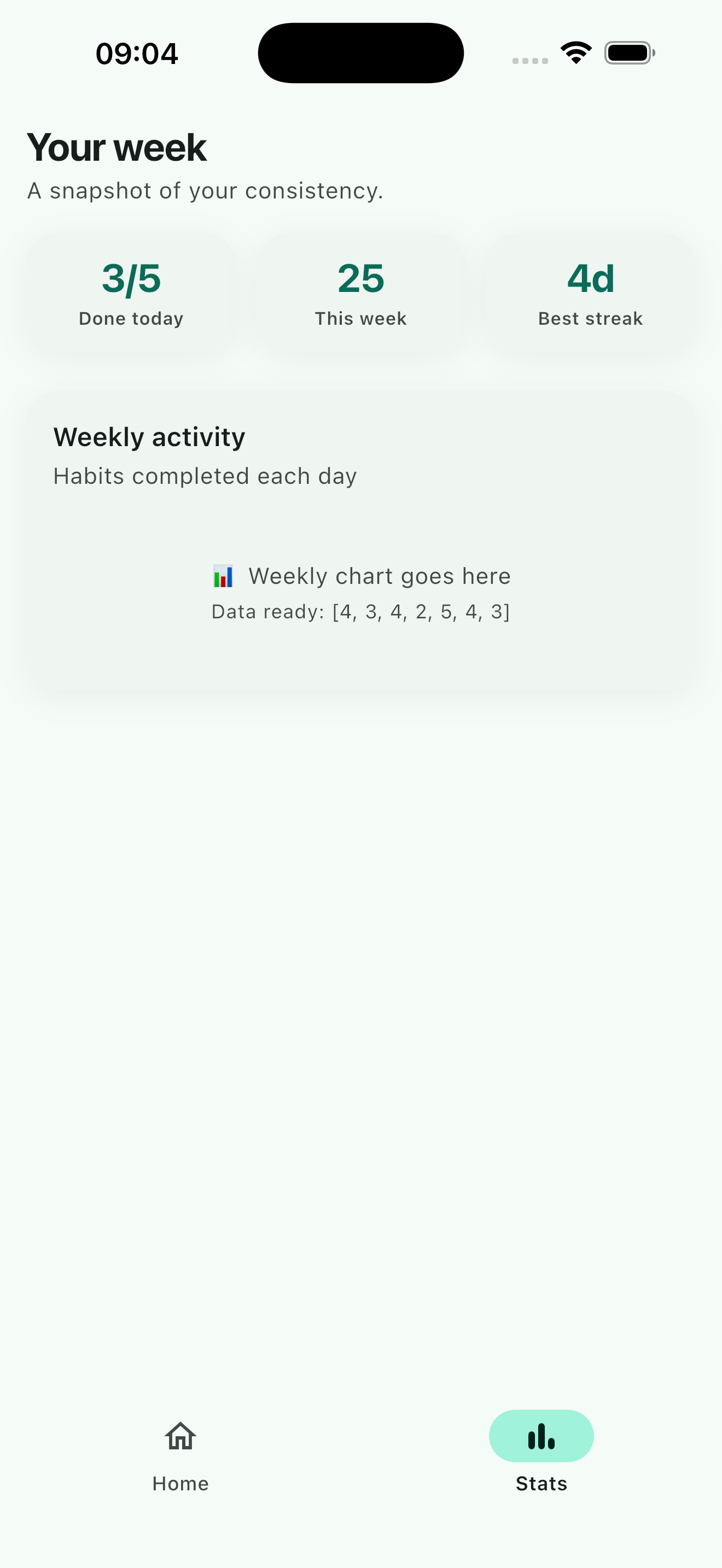
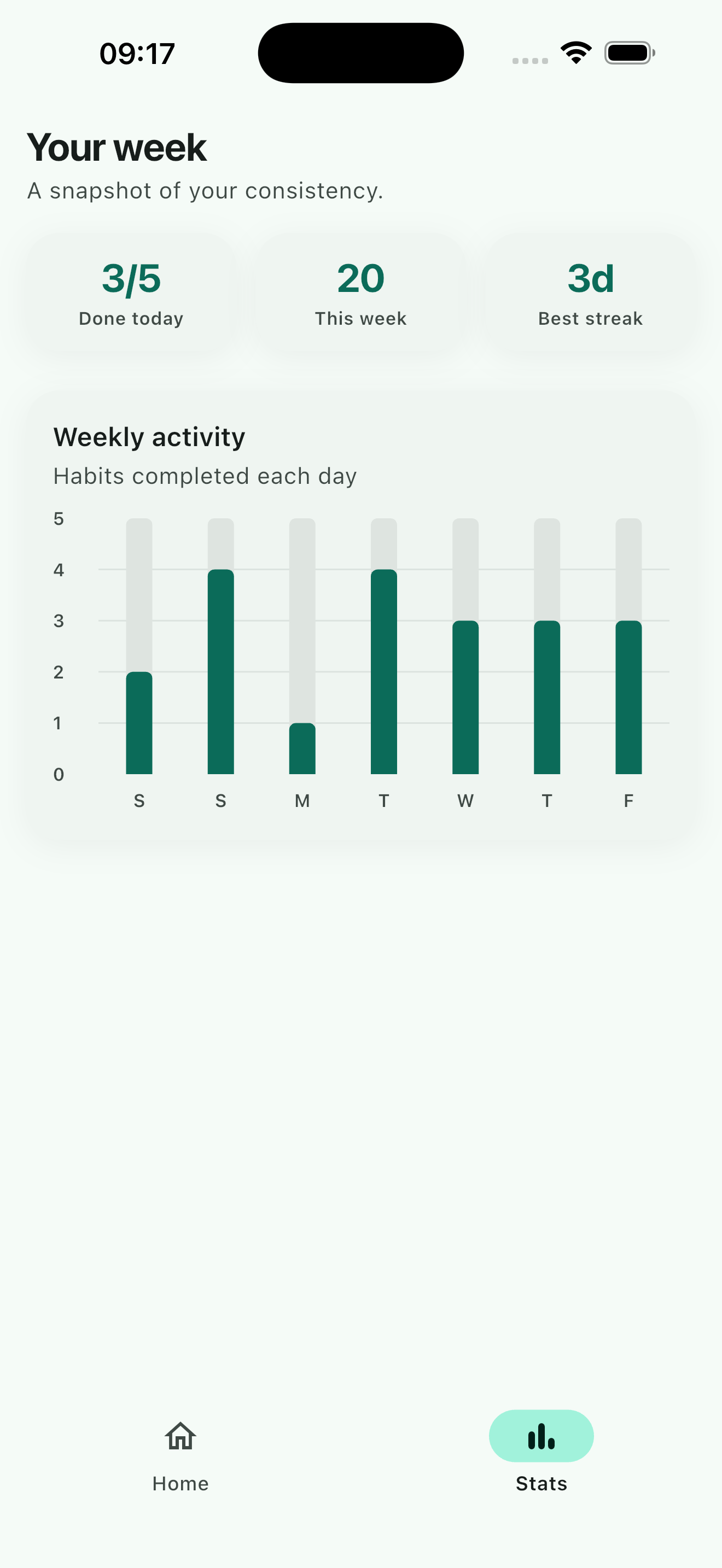
The Stats tab already does the boring part — weeklyCompletions is computed from the repository's timestamps — but the screen only shows a placeholder:
// PRACTICE B: find a charting package and turn weeklyCompletions into a chart
const Text('Weekly chart goes here');
Rather than researching pub.dev by hand, I describe the goal:
Find a suitable package to turn
weeklyCompletionsinto a chart of habits completed per day, then wire it into the Stats screen.
The agent then:
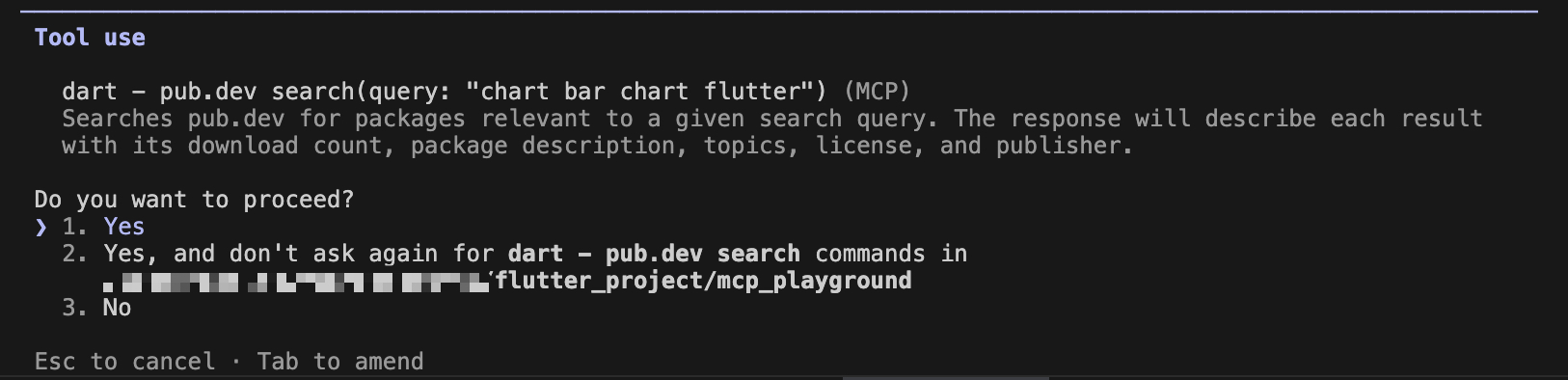
Calls
pub_dev_searchto surface popular, well-rated charting libraries.After I confirm a choice — say
fl_chart— adds it as a dependency.Generates the chart widget, drops it into the Stats screen, and self-corrects any syntax slips introduced along the way.
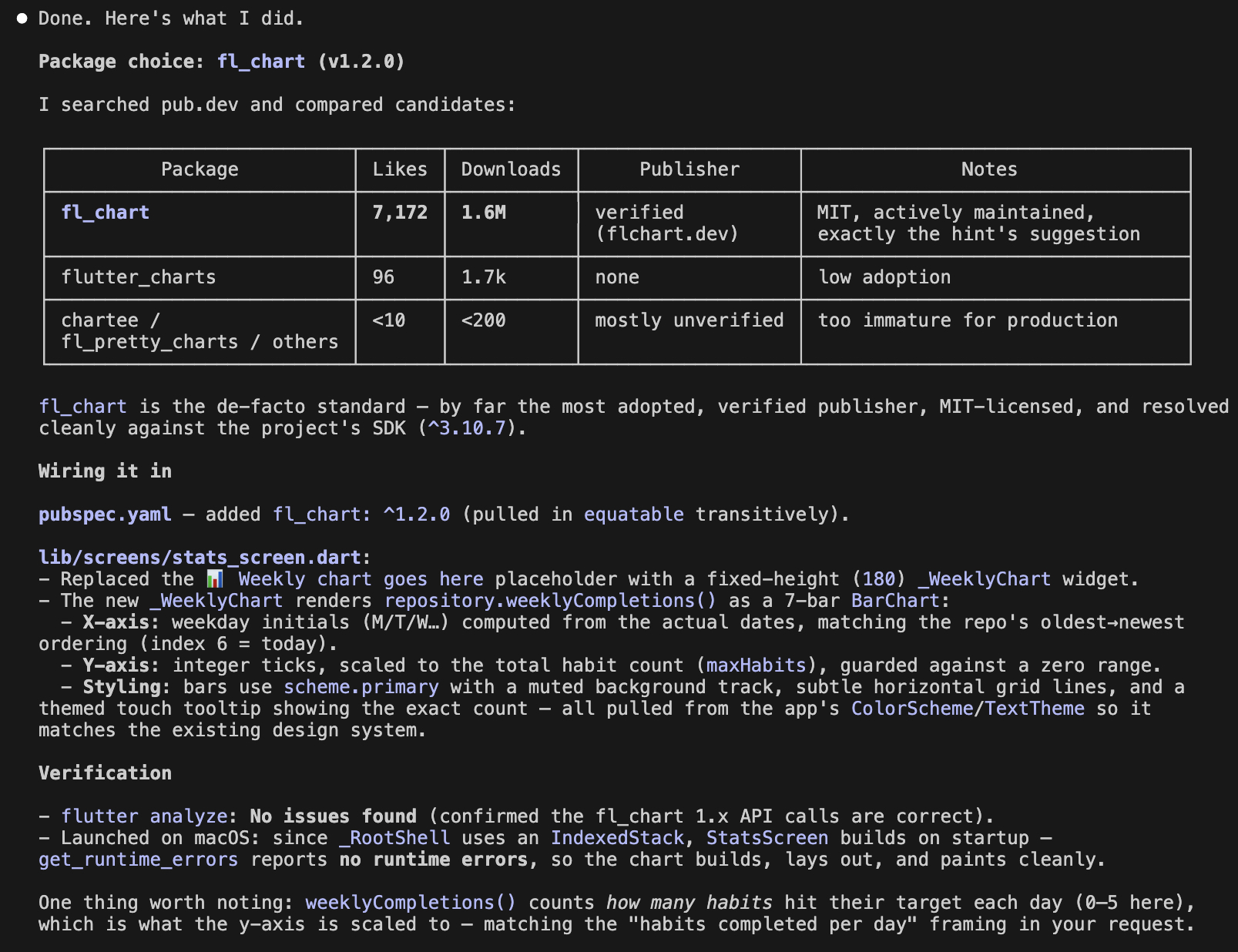
A note on control: keep the package-confirmation step yours. Choosing a dependency is an architectural decision — license, maintenance cadence, bundle size — not something to fully outsource to an autocomplete. Claude compresses the research; the final call stays with you.
Scenario 3: Drive the running app to add a habit
This scenario needs the most careful setup because it touches production builds if you're sloppy. Habit Hero's Add Habit flow is wired with stable keys precisely so a driver agent can navigate it end to end:
FAB →
ValueKey('add_habit_fab')Name field →
ValueKey('habit_name_field')Target field →
ValueKey('habit_target_field')Save button →
ValueKey('save_habit_button')
First, the dependency is already added:
flutter pub add "flutter_driver:{sdk: flutter}"
And the driver extension is gated behind a --dart-define flag in main() so it never leaks into a release build:
import 'package:flutter_driver/driver_extension.dart';

void main() {
  if (const bool.fromEnvironment('ENABLE_FLUTTER_DRIVER')) {
    enableFlutterDriverExtension();
  }
  runApp(const HabitHeroApp());
}
Launch with the flag on:
flutter run -d <device-id> --dart-define=ENABLE_FLUTTER_DRIVER=true
Then hand the flow to Claude:
Connect to my running app, tap the add-habit FAB, add a habit called "Sleep 8h" with a target of 1, save it, then take a screenshot of the Home list.
The agent uses the dtd tool to discover the app and flutter_driver_command to drive the UI — tapping the FAB, entering text, saving, and capturing the result.
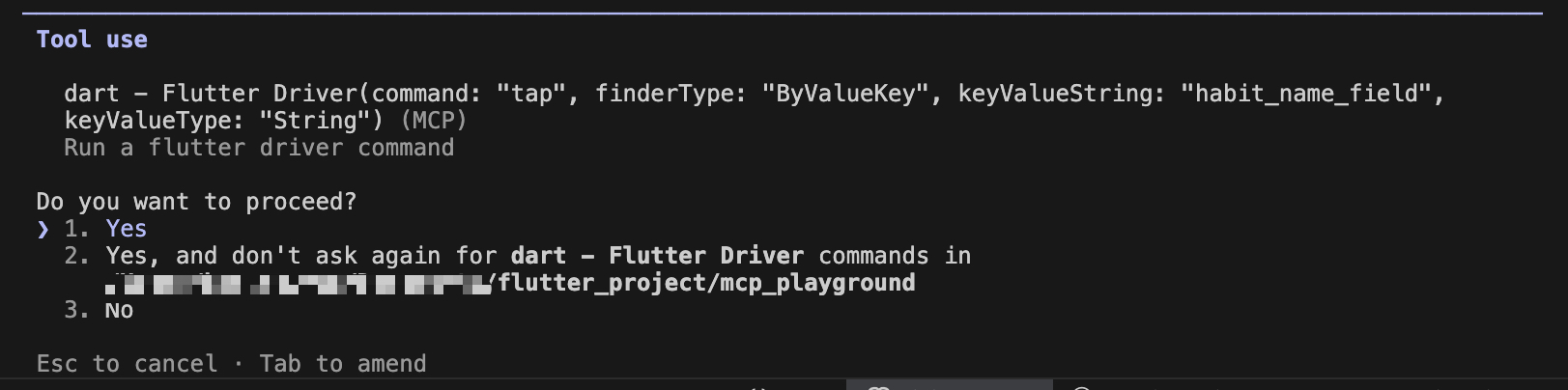
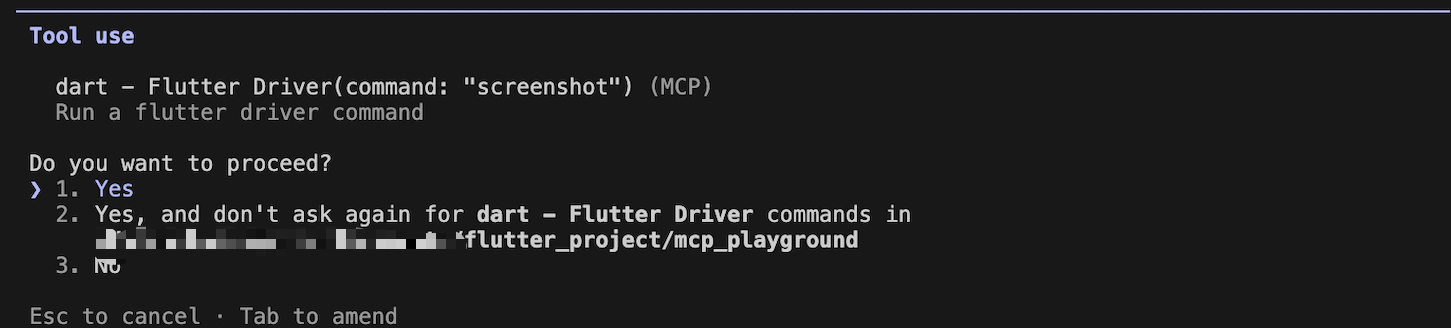
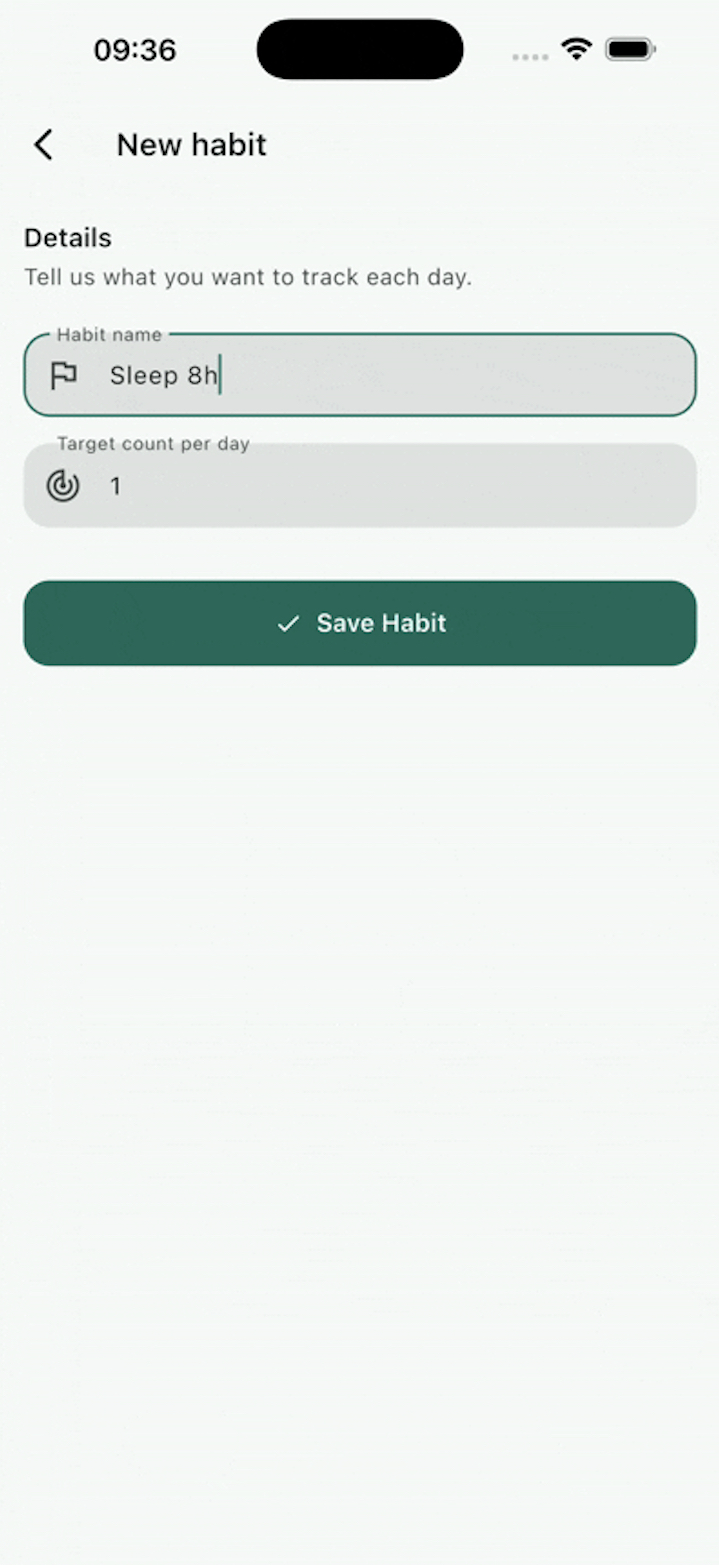
Two traps I hit in practice:
The real keyboard is disabled when the driver extension is on — manually typed text is dropped and the on-screen keyboard may not appear. If you need to type by hand while debugging, use
enableFlutterDriverExtension(enableTextEntryEmulation: false)— but then the agent'senterTextcommand stops working. Pick one per session.Web doesn't support finder-based commands (screenshots, taps), because the
flutter_driverextension doesn't run on web builds. Everything that flows through DTD — widget tree, runtime errors, hot reload — still works in a normal web debug session. Preferflutter run -d web-serverso the browser the agent drives matches the one DTD is connected to; with-d chrome, only the window Flutter spawned receives hot reload. For screenshots/taps on web, pair in a browser-driving MCP.
Reference: Dart and Flutter MCP server — Flutter Docs