


Table of Contents6 sections
Writing blog posts usually takes a lot of time. Beyond writing the content itself, you also need to research the topic, optimize for SEO, prepare images, and review everything before publishing.
If you're using Claude Code, Claude Blog is a plugin that automates most of this process. With just a few commands, you can generate an outline, write the post, check SEO, and create the metadata needed for publishing.
In this post, I'll show you how to install Claude Blog and take the first steps toward writing a blog post.
What is Claude Blog?
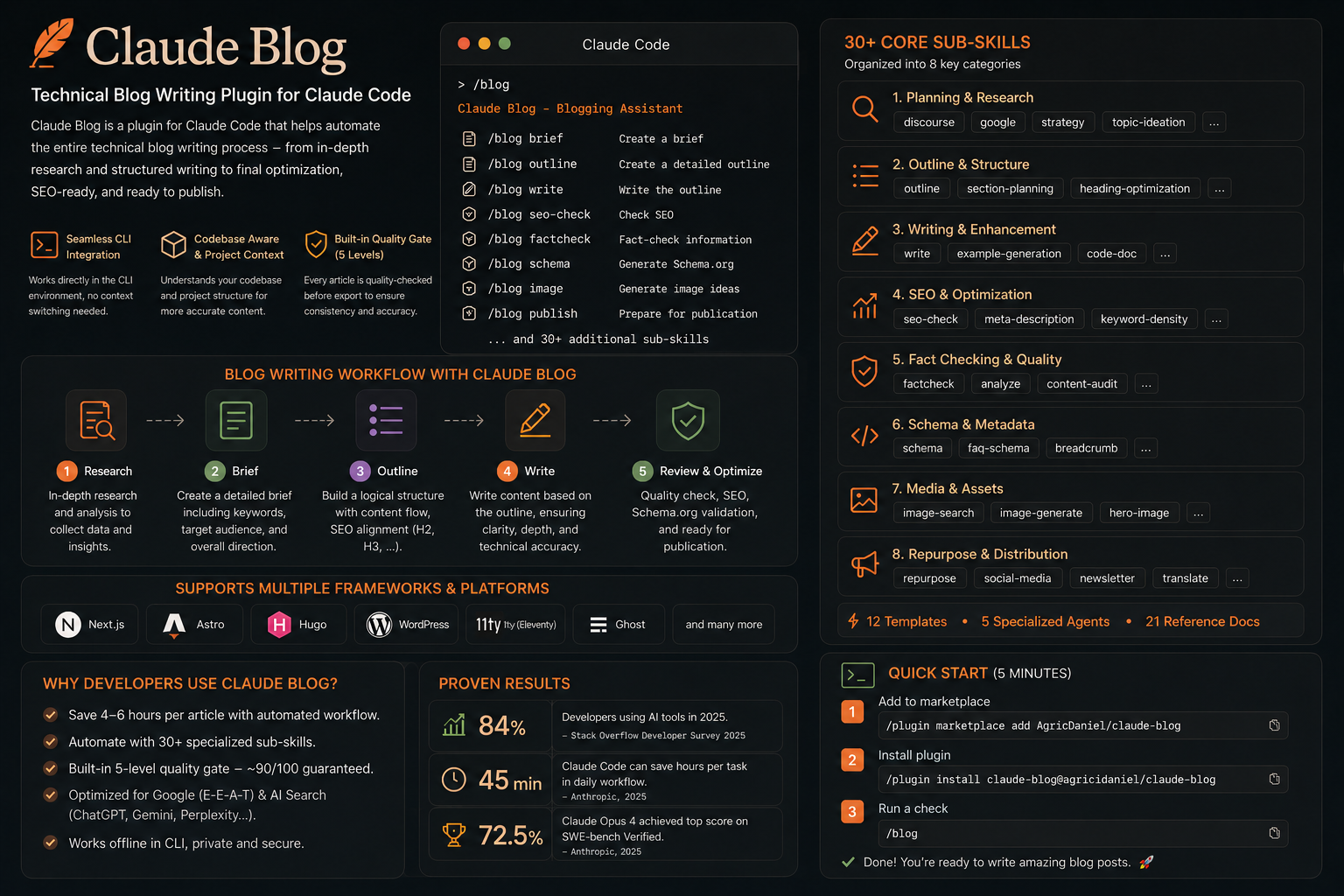
Claude Blog is a plugin for Claude Code, built to support the entire technical blogging workflow. Instead of generating content from a single prompt like a typical AI chatbot, Claude Blog provides ready-made workflows that take you from an initial idea to a finished post.
The plugin includes more than 30 sub-skills, covering tasks such as topic research, brief creation, outline building, content writing, SEO checks, Schema.org generation, and final review before publishing. The entire process runs directly inside Claude Code, so you don't need to switch between different tools.
Some standout features of Claude Blog:
Works directly inside Claude Code, no need to switch between tools.
Supports multiple platforms, including Next.js, Astro, Hugo, WordPress, and other popular static site generators.
Automatically generates briefs, outlines, and posts in Markdown or MDX format.
Supports SEO and Schema.org, so your post is publish-ready.
Comes with built-in workflows covering everything from idea to final review, significantly cutting down the time it takes to finish a blog post.
Installing Claude Blog
Claude Blog is released as a plugin for Claude Code, so installation is straightforward and takes only a few minutes.
Prerequisites
Before you start, make sure you have:
Claude Code CLI (version 1.0.33 or later recommended).
Claude Pro or Claude Max to use Claude Code.
Python 3.11+ if you want to use the content analysis and quality-scoring features. The basic writing workflow still works without Python.
You can check your Claude Code version with:
claude --versionInstalling from the Plugin Marketplace
This is the recommended way to install.
Step 1. Add Claude Blog to the Plugin Marketplace:
/plugin marketplace add AgriciDaniel/claude-blogStep 2. Install the plugin:
/plugin install claude-blog@agricidaniel-claude-blogStep 3. Verify the result:
/blogReference: https://github.com/AgriciDaniel/claude-blog
The blog-writing workflow with Claude Blog
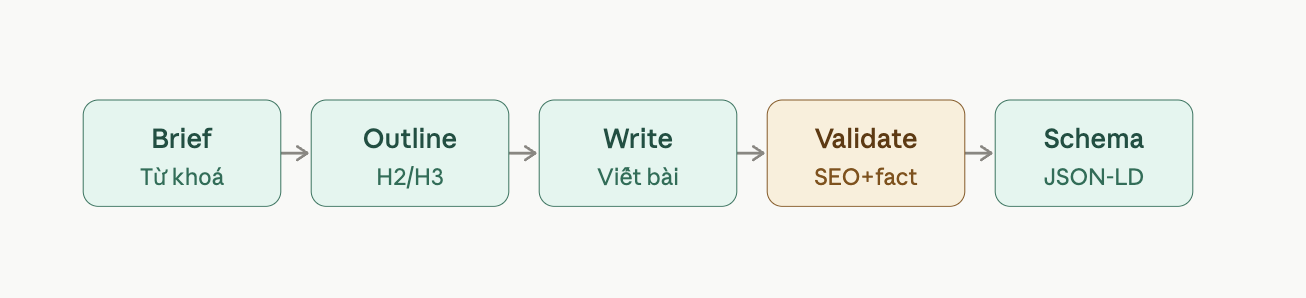
Once installation is done, you can start writing a post by following a sequence of small steps, each one mapped to a plugin command. You don't have to run every single one, but following this order gives the most coherent result.
Step 1. Create a brief for your topic
bash
/blog brief "your post topic"This command quickly drafts your approach: the main keywords, the points to cover, and a rough outline. This is a good step to pause and review carefully before moving on, since fixing things here is much faster than fixing them after you have a finished post.
Step 2. Build a detailed outline
bash
/blog outline <path-to-brief>The outline is turned into a clear H2/H3 heading structure, based on the brief from the previous step.
Step 3. Write the full content
bash
/blog write <path-to-outline>This is the step where the plugin writes the detailed content following the outline, and outputs a Markdown or MDX file depending on your platform configuration.
Step 4. Check SEO and fact-check
bash
/blog seo-check <path-to-post>
/blog factcheck <path-to-post>
seo-check reviews the title, meta description, and heading structure. factcheck checks whether the figures or citations in the post have clear sources. This is a step you shouldn't skip, since the AI can still get figures wrong if it isn't asked to verify them.
Step 5. Generate metadata for publishing
bash
/blog schema <path-to-post>This command generates the schema markup (JSON-LD) needed for SEO, based on the content and frontmatter already in the post.
A small note: even though the plugin has an automated quality check, you should still read through the entire post yourself before publishing, especially the figures and any strongly worded claims.
A few advanced commands worth trying
Beyond the basic workflow above, the plugin has a few extra commands that are useful when you need to scale content:
/blog multilingual <file> --languages en,ja: translates the post into other languages while keeping the original Markdown/MDX structure./blog image generate --prompt "...": generates an illustration when you can't find a suitable stock photo./blog repurpose <file>: turns a blog post into other formats, such as a social media thread or a short video script.
Should you use Claude Blog?
This plugin makes sense if you write technical blog posts regularly and want a repeatable process instead of typing prompts manually each time. Since it's a community plugin, not an official Anthropic product, you should check the GitHub repo to see how actively it's maintained before relying on it for your regular workflow.
If you only write a post occasionally, or prefer to control each step manually, a simpler process — writing your own brief, outline, draft, and review — might be a lighter option.
Conclusion
Claude Blog packages the separate steps of writing a technical blog post — research, outline, writing, SEO checks, schema generation — into a single chain of commands you can run right inside Claude Code. If you're already comfortable with Claude Code, it's a reasonable way to shorten the time from idea to finished post, as long as you still act as the final editor before publishing.